
What Is Burstable Bandwidth? Five Points to Consider


IMG_20170403_180712

Internet Bursting

Internet Providers continually use clever marketing analogies to tout their burstable high-speed Internet connections. One of my favorites is the comparison to an automobile with overdrive that at the touch of button can burn up the road. At first, the analogies seem valid, but there are usually some basic pitfalls and unresolved issues.  Below are five points that are designed to make you ponder just what you’re getting with your burstable Internet connection, and may ultimately call some of these analogies, and burstable Internet speeds altogether, into question.

  1. The car acceleration analogy just doesn’t work.

    First, you don’t share your car’s engine with other users when you’re driving.  Whatever the engine has to offer is yours for the taking when you press down on the throttle.  As you know, you do share your Internet connection with many other users.  Second, with your Internet connection, unless there is a magic button next to your router, you don’t have the ability to increase your speed on command.  Instead, Internet bursting is a mysterious feature that only your provider can dole out when they deem appropriate.  You have no control over the timing.

  2. Since you don’t have the ability to decide when you can be granted the extra power, how does your provider decide when to turn up your burst speed?

    Most providers do not share details on how they implement bursting policies, but here is an educated guess – based on years of experience helping providers enforce various policies regarding Internet line speeds.  I suspect your provider watches your bandwidth consumption and lets you pop up to your full burst speed, typically 10 megabits, for a few seconds at a time.  If you continue to use the full 10 megabits for more than a few seconds, they likely will reign you back down to your normal committed rate (typically 1 megabit). Please note this is just an example from my experience and may not reflect your provider’s actual policy.

  3. Above, I mentioned a few seconds for a burst, but just how long does a typical burst last?

    If you were watching a bandwidth-intensive HD video for an hour or more, for example, could you sustain adequate line speed to finish the video? A burst of a few seconds will suffice to make a Web page load in 1/8 of a second instead of perhaps the normal 3/4 of a second. While this might be impressive to a degree, when it comes to watching an hour-long video, this might eclipse your baseline speed. So, if you’re watching a movie or doing any another sustained bandwidth-intensive activity, it is unlikely you will be able to benefit from any sort of bursting technology.

  4. Why doesn’t my provider let me have the burst speed all of the time?

    The obvious answer is that if they did,  it would not be a burst, so it must somehow be limited in some duration.  A better answer is that your provider has peaks and valleys in their available bandwidth during the day, and the higher speed of a burst cannot be delivered consistently.  Therefore, it’s better to leave bursting as a nebulous marketing term rather than a clearly defined entity.  One other note is that if you only get bursting during your provider’s Internet “valleys”, it may not help you at all, as the time of day may be no where near your busy hour time, and so although it will not hurt you, it will not help much either.

  5. When are the likely provider peak times where my burst is compromised?

    Slower service and the inability to burst are most likely occurring during times when everybody else on the Internet is watching movies — during the early evening.  Again, if this is your busy hour, just when you could really use bursting, it is not available to you.

These five points should give you a good idea of the multiple questions and issues that need to be considered when weighing the viability and value of burstable Internet speeds.  Of course, a final decision on bursting will ultimately depend on your specific circumstances.  For further related reading on the subject, we suggest you visit our articles How Much YouTube Can the Internet Handle and Field Guide to Contention Ratios.
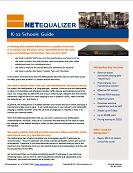

NetEqualizer Bandwidth Shaping Solution: K-12 Schools


Download K-12 Schools White Paper

In working with network administrators at public and private K-12 schools over the years, we’ve repeatedly heard the same issues and challenges facing them. Here are just a few:

  • We need a solution that’s low cost, low maintenance, and easy to set up.
  • We need a solution that will prioritize classroom videos and other online educational tools (e.g. blackboard.com).
  • We need to improve the overall Web-user experience for students.
  • We need a solution that doesn’t require “per-user” licensing.

In this article, we’ll talk about how the NetEqualizer has been used to solve these issues for many public and private K-12 schools around the world.

Download article (PDF) K-12 Schools White Paper

Read full article …

UPDATE — NetEqualizer Tech Seminar Is Coming To The Pacific Northwest


***UPDATE***

We have now confirmed the building and room number for the seminar. The location will be as follows:

Where: Pacific Lutheran University
Morken Center for Learning and Technology (MCLT), Room 103 (click here for map and directions)
12180 Park Ave.
Tacoma, WA

***UPDATE***

On Wednesday, January 13, we will be hosting a complimentary NetEqualizer Seminar at Pacific Lutheran University in Tacoma, Washington. PLU, which is the home of over 3,000 students, has been a NetEqualizer user since 2008 and will provide for a first-hand look at the technology’s capabilities.

We’ll cover:

  • The various tradeoffs regarding how to stem p2p and bandwidth abuse
  • Recommendations for curbing RIAA requests
  • Demo of the new NetEqualizer network access control module
  • Lots of customer Q&A and information sharing on how Pacific Lutheran University is using the NetEqualizer, including some hands-on probing of a live system

When: Wednesday, January 13, 10 a.m. to noon

Where: Pacific Lutheran University
Morken Center for Learning and Technology (MCLT), Room 103 (click here for map and directions)
12180 Park Ave.
Tacoma, WA

This technical user group, which in addition to our hosts includes invitees and NetEqualizer customers such as Everett Community College, the University of Puget Sound, and Northwest University, will be a great opportunity for current users and interested potential customers to learn more about the issues and challenges facing network administrators while also seeing the NetEqualizer in action.

Furthermore, the seminar will feature the input of Pacific Lutheran University students who will give first-hand accounts of the NetEqualizer end-user experience. For years, NetEqualizer has been a leader in network optimization technology that meets the needs of administrators, but also prioritizes the experience and privacy of Internet users.

If that wasn’t enough, we’ll be giving away great door prizes to attendees. So, if you’re in the area, be sure not to miss this seminar! For more information, contact us at admin@apconnections.net.

URL-Based Shaping With Your NetEqualizer: A How To Guide


What is URL-based Shaping?

URL shaping is the ability to specify the URL, normally a popular site such as YouTube or NetFlix, and set up a fixed-rate limit for traffic to that specific URL.

Is URL shaping just a matter of using a reverse lookup on a URL to get the IP address and plugging it into a bandwidth controller?

In the simplest case, yes, but for sites such as YouTube, the URL of http://www.youtube.com will have many associated IP addresses used for downloading actual videos. Shaping exclusively on the base URL would not be effective.

Is URL shaping the same thing as application shaping?

No. Although similar in some ways, there are significant differences:

  1. URL shaping is essentially the same as shaping by a known IP address. The trick with URL shaping is to discover IP addresses associated with a well-known URL.
  2. Application shaping uses Deep Packet Inspection (DPI). URL shaping does not. It does not inspect or open customer data.

How to set up URL-based shaping on your NetEqualizer

The following specifications are necessary:

  1. NetEqualizer version 4.0 or later
  2. A separate Linux-based client such that the client must access the Internet through the NetEqualizer
  3. The Perl source code for client URL shaping (listed below) loaded onto a client
  4. You will also need to set up your client so that it has permissions to run RSH (remote Shell) commands on your NetEqualizer without requiring a password to be entered. If you do not do this, your Perl discovery routine will hang. The notes for setting up the RSH permissions are outlined below.

How it works…

Save the Perl source code into a .pl file we suggest urlfinder.pl

Make sure to make this file executable

chmod 777 urlfinder.pl

Run the perl command with the following syntax from the command line, where domain.com will be replaced with the specific URL you wish to shape:

./urlfinder.pl http://www.domain.com pool# downlimit uplimit x.x.x.x y.y.y.y

  • Pool# is an unused bandwidth pool on your NetEqualizer unit
  • Downlimit is the rate in bytes per second incoming for the URL
  • Uplimit is the rate bytes per second outgoing to the Internet for the URL
  • x.x.x.x is the IP address of your NetEqualizer
  • y.y.y.y is the IP address of the client

The script will attempt an http request using http://www.domain.com. It will then continue to do recursive Web accesses on subsequent links starting on the main domain URL. It will stop when there are no more links to follow or when 150 pages have been accessed. Any foreign IP’s found during the access session will be put into the given bandwidth pool as CLASS B masks, and will immediately be forever shaped until you remove the pool.

Notes:

In our beta testing, the script did well in finding YouTube subnets used for videos.  We did not confirm whether the main NetFlix home page URL shares IP subnets with their download sites.

Notes for setting up RSH

Begin Notes

These notes  assume you are either logged in on the Client as root or you use sudo -i and are acting as root.

192.168.1.143 is used in the example as the Server (NetEq) IP.

On your Client machine, do:

  • ssh-keygen -t rsa -b 4096
  • ssh-copy-id -i ~/.ssh/id_rsa.pub root@192.168.1.143
  • nano -w /etc/ssh/ssh_config

Make sure that these are as follows:

  • RhostsRSAAuthentication yes
  • RSAAuthentication yes
  • EnableSSHKeysign yes
  • HostbasedAuthentication yes

The next line is all one line to the ssh_known_hosts

  • scp /etc/ssh/ssh_host_rsa_key.pub root@192.168.1.143:/etc/ssh/ssh_known_hosts

The next line is all one line to the ssh_known_hosts2

  • scp /etc/ssh/ssh_host_rsa_key.pub root@192.168.1.143:/etc/ssh/ssh_known_hosts2

Now, find out your HOSTNAME on the Client:

  • echo $HOSTNAME

On the Server machine, do:

  • nano -w /etc/hosts.equiv
  • harry-lin root
  • my $HOSTNAME of the Client was harry-lin
  • nano -w /etc/ssh/sshd_config

Check the following:

  • PermitRootLogin yes
  • StrictModes yes
  • RSAAuthentication yes
  • PubkeyAuthentication yes
  • AuthorizedKeysFile %h/.ssh/authorized_keys
  • IgnoreRhosts no
  • RhostsRSAAuthentication no
  • HostbasedAuthentication yes

Now do:

  • chown root:root /root

Then:

  • /etc/init.d/ssh reload

Now you can try something like this from your Client:

  • ssh root@192.168.1.143

If it doesn’t work, then do the following, which gives you details if possible:

  • ssh -v root@192.168.1.143

Final Notes: While support for this utility is NOT currently included with your NetEqualizer, we will assist any customers with a current Network Software Subscription for up to one hour. For additional support, consulting fees may apply.
