

| We hope you enjoy this month’s NetEqualizer Newsletter. Highlights include a preview of more 8.5 Release features, an announcement of our 8.4 User Guide, our planned 2017 Road Trips, and more!
|

January 2017
|
|
8.5 Release Planning is Underway!
|
|
Greetings! Enjoy another issue of NetEqualizer News.
|



In this Issue:
:: 8.5 Release Features Preview
:: 8.5 Feedback Received – Thank You!
:: The 8.4 User Guide is Now Available!
:: 2017 Road Trips
:: Time for a Tech Refresh?
:: Best of Blog: Top 5 Reasons Confirming Employers Don’t Like Their IT Guy
| 8.5 Release Features Preview |
We are staring to develop our 8.5 Release!Continued from November 2016… In November we talked about Cloud Reporting, Read-Only Login, and NetEqualizer Logout. This month we introduce several more features planned for 8.5: 1) Pool-specific RATIO and HOGMIN 2) Retain RTR State Upon Reboot Pool-specific RATIO and HOGMIN Ever since we first started making NetEqualizers, there has been one RATIO and one HOGMIN setting that applied to all traffic going through the device. Beginning with Release 8.5, however, we’ve enhanced our software to allow for Pool-specific RATIO and HOGMIN settings. This means that each Pool can have it’s own unique configuration with regard to these values. These changes help administrators have more fine-tuned control over when Equalizing occurs and what the minimum requirements for Equalizing will be on a Pool level rather than a network level. Retain RTR State Upon Reboot This has been one of the most requested features ever since we introduced RTR, and we are happy to say it will be part of Release 8.5. With this release, RTR will start upon reboot and maintain all your reporting settings so that you don’t need to go back into the device and start the service manually. This is useful in case the device is affected by a power outage or another type of unplanned activity. Stay tuned to our newsletter for further updates on Release 8.5. We are currently underway in the development process and are still shooting for a late spring/early summer release. As always, the release is free to those with valid NetEqualizer Software and Support (NSS) plans. Contact us today with questions!
|

| 8.5 Feedback Received – Thank You! |
We Appreciated Your Suggestions!We asked for input to our 8.5 Release and you responded with some great ideas – thank you! Here are the features that you asked us to consider for 8.5. We will let you know what makes it over the course of future newsletters… – Quota Enhancements: Email Customer on Exceed Quota, Summary Email before Reset, Quota in the Cloud, Web Portal – Add sophisticated SNMP logic – Protocol Tracking Reports – Traffic by Source IP Report – Bandwidth Test for Troubleshooting – Build out Automated Alerts – Add Real-Time Penalties to RTR Dashboard – Add Name capability to HL, Masks, VLANs, P2P, and Priority – Add Visibility to Penalty against what Rule – Add Host Name from NSLookup to RTR Reports If any of the above suggestions would also be useful to you and your organization, please let us know!
|


| The 8.4 User Guide is Now Available! |
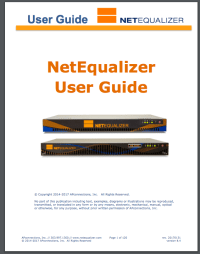
Dive into the details on NetEqualizer’s features…We are excited to announce the User Guide has been updated to reflect Software Update 8.4, in several key areas. We have focused on updating the configuration sections, describing our new Batch Entry Screens for setting up Bandwidth Limits, limiting P2P Traffic, setting Bandwidth Priorities, and restricting Bandwidth Usage. We also have added a new section to the User Guide, which walks through our Perform Quick Edits capability. Quick Edits is useful when you want to add or delete one or a small number of rules. We offer Quick Edits for seven (7) types of rules, including Pools, Hard Limits, and P2P Traffic Limits. You can view the updated User Guide by clicking here or on the picture at right. Note that the Appendices and Monitoring & Reporting sections are not yet updated to 8.4. We plan to update the remaining sections of the User Guide to 8.4 soon. Look for an update in an upcoming newsletter! |
| 2017 Road Trips |
We’re hitting the road…Our CTO, Art Reisman, is planning to make a swing up the East coast this spring. Most likely he will be in the Boston and New England area the week of Feb 20th – with some room for flexibility in the timeframe. If you are on the East coast and would like to host a formal on-site Tech Refresh, let us know and we will try to get it scheduled!
|
| Time for a Tech Refresh? |
Re-familiarize yourself with NetEqualizer!Now that Release 8.4 has been out for 6 months, and many customers have moved to it, you may have questions! Release 8.4 had a lot of changes associated with it that may be slightly confusing if you are used to older GUI versions. Don’t worry though, we are here to help! If you are current on your NetEqualizer Software and Support (NSS) plan, we’d like to offer you a FREE 30 minute Tech Refresh to go over any questions or issues you might have with your NetEqualizer. Contact us today to schedule a time slot with an engineer!
|

| Best Of Blog |
Top 5 Reasons Confirming Employers Don’t Like Their IT GuyBy Art Reisman
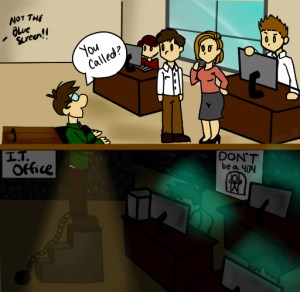
1) The IT room is the dregs Whenever I travel to visit with my IT customers, it is always a challenge to find their office. Even if I find the right building on the Business/College Campus, finding their actual location within the building is anything but certain. Usually it ends up being in some unmarked room behind a loading dock, accessible only by secret passage designed to relieve the building of cafeteria waste near the trash bins. Many times, their offices are one and the same thing as the old server computer room, with the raised floor, screaming fans, and air cooled to a Scottish winter…
|

| Photo of the Month |
 TEDx Aruba
This past fall, a staff member and his wife, Andrea, visited the island of Aruba in the south Caribbean Sea. The official slogan for the country is “One Happy Island,” and this held true the entire trip – all of the people were extremely friendly and welcoming. The purpose of the trip was to present at TEDx Aruba on the topic of sustainability – specifically how our trash plays a role in the most pressing environmental issues of our time. Andrea runs a non-profit based in Boulder, CO that helps educate people on how to reduce their trash and plastic footprint as well as live more simple, meaningful lives. Check out her website and follow her on Instagram if you are so inclined! |
| APconnections, home of the NetEqualizer | (303) 997-1300 | Email | Website |
 |





 NetEqualizer News Blog
For Profit Wired Home Internet, is it Coming to an End?
February 15, 2017 — netequalizer“Low resolution ghost mode is where your video quality drops down to save bandwidth. The resulting effect transforms once proud basketball players into a slurry of mush, as their video molecules are systematically destroyed.”
Last night, I was trying to watch a basketball game on my Hulu through my Business class Comcast line, which promises 20 meg down and 4 meg up. Not only was my Hulu feed breaking up periodically, but my Drop Cam was going up and down constantly, and sending me emails that it was offline. I checked my bandwidth through my NetEqualizer to find that I was not even pulling 6 megabits, less than 1/3 my contracted rate. When Hulu was not locking up completely, it was dropping down into low resolution ghost mode. I have documented my Comcast findings before through various experiments. Clearly, Comcast has upstream congestion issues or is shaping selected video traffic. Either way I am at their mercy when trying to watch video on the Internet.
What options does one have for alternative Internet service in the Denver Metro area, or for that matter other Metro Areas around the country?
Option #1 Get Closer to the Source
Beam Internet directly via Microwave Link from a hot building. A friend of mine runs an ISP that does essentially this. He buys large bulk bandwidth and from a point of presence rooftop downtown, he can beam internet via point-to-point circuit, directly to your residence or building. I called him out of desperation but I am not in line of sight for any of his services.
Option #2 Century Link
They constantly run commercials touting they are better than Comcast. I call them perhaps once a year or so, only to find out that my neighborhood is not wired for their high speed service.
Option #3 Use my unlimited T-Mobile as a Hot Spot
Believe it or not, I actually did this for a while, and the video service was a bit better than Comcast. The problem with this solution is that T-Mobile will drop your speeds down once you have consumed 24 Gigabytes in a month, and it will become useless for anything other than email. (24 Gigabytes would be approximately 4 full length movies).
Option #4 Move
The city just to the North of me , Longmont, put in it’s own fiber ring to the curb. Early reports are that it works great, and that the residents love it. Since it is essentially a public utility, there are no shaping games destroying your Hulu. If you contract for 20 megabits, you get 20 megabits. And now the city of Boulder is considering doing the same.
With two nearby cities essentially kicking out their entrenched providers within a few miles of my home, I can see other municipalities quickly following suit. Having good quality, affordable municipal Internet service is not just a luxury for a city, it is essential for economic development. As I can attest, it will be a factor in where I choose to live the next time I move. I will not put myself at the mercy of Comcast again.
By Art Reisman
Share this: