Virtual Machines and Network Equipment Don’t Mix


By Art Reisman, CTO

Perhaps I am a bit old fashioned, but I tend to cringe when we get asked if we can run the NetEqualizer on  a virtual machine.

Here’s why.

The NetEqualizer performs a delicate balancing act between bandwidth shaping  and price/performance.   During this dance, it is of the utmost importance that the NetEqualizer,  “do no harm“.    That adage relates to making sure that all packets pass through the NetEqualizer such that:

1) The network does not see the NetEqualizer

2) The packets do not experience any latency

3) You do not change or molest the packet in any way

4) You do not crash

Yes, it would certainly be possible to run a NetEqualizer on a virtual machine, and I suspect that 90 percent of the time there would be no issues.  However. if there was a problem, a crash, or latency,  it would be virtually impossible (pun intended) to support the product – as there would be no way quantify the issue.

When we build and test NetEqualizer, and deliver it on a hardware platform, all performance and stability metrics are based on the assumption that the NetEqualizer is the sole occupant of the platform.  This means we have quantifiable resources for CPU, memory and LAN ports.  The rules above break down when you run a network device on a virtual machine.

A network device such as the NetEqualizer is carefully tested and quantified with the assumption that it has exclusive access to all the hardware resources on the platform.  If it were loaded on a shared hardware platform (VM) , you could no longer guarantee any performance metrics.

NetEqualizer News: October 2013


October 2013

Greetings!

Enjoy another issue of NetEqualizer News! This month, we preview our new RTR features (now available in Beta), reveal the location of our next Technical Seminar, discuss enhancements to our caching option, and remind you to get your web applications secured. As always, feel free to pass this along to others who might be interested in NetEqualizer News.

A message from Art…
Art Reisman, CTO – APconnections

art_smallFall is officially here in Boulder, Colorado. In fact, we had our first hard frost (the overnight low was 29 degrees Fahrenheit) on October 4th, pretty much right on schedule, as our fifty year average is October 6th. As we told you in our last newsletter, we have been planning for a late October harvest for our next release. We are right on track to release Software Update 7.5 in late October and have a Beta version of the new features available NOW. If you would like to get a sneak peek at the new features, learn more below about how to get involved in our 7.4 RTR Beta Test.

We love it when we hear back from you – so if you have a story you would like to share with us of how we have helped you, let us know. Email me directly at art@apconnections.net. I would love to hear from you!

2013 Fall Technical Seminar
neteq seminar logo with border

We are happy to announce the date and time of our 2013 Fall Technical Seminar! Please join our CTO, Art Reisman, at our host site, Western Michigan University, on Tuesday, November 12th, 2013 for a half-day seminar in Kalamazoo, Michigan.

To learn more or register for this FREE technical seminar, sign up here.logo-270x231

Last month we asked for folks to let us know if they would be interested in hosting our next Technical Seminar. We had several people step forward (thank you all!), and from that group, have decided to hold our 2013 Fall Technical Seminar in Michigan.

We think Michigan will be a great place to visit in the fall, are are excited to see the NetEqualizer in action at Western Michigan, a longtime customer who has been using NetEqualizers since early 2008.

If you have any questions regarding the Technical Seminar, contact us at:

sales@apconnections.net

We hope to see you there!


NetEqualizer Caching Investment

We have recently partnered with some of the Squid core development team to harden and make our caching the best it can be!

Recent testing with enhancements are showing even better hit ratios for YouTube and other media, resulting in a better caching system for our customers.

The NetEqualizer Caching Option (NCO) is available as an add-on to NetEqualizer systems at additional cost. Caching helps supplement the power of Equalizing by storing high-bandwidth streams locally for internal users.For more information on NCO, click here.If you are interested in adding caching to your system, contact us at:

sales@apconnections.net


Planning for 2014: Do You Need to Secure Your Web Applications?

As we near the end of 2013, many of you may be putting together your 2014 plans.netgladiator_logo If web application security is on your “must have” list for 2014, you might want to take a look at our sister product, the NetGladiator.

We used NetEqualizer’s guiding principles when we developed the NetGladiator: keep it affordable (starting at $3,500 USD), make sure it is easy to set up and maintain, and implement security rules that provide value and make sense without the overkill of most products.

If you would like to learn more, visit our website, take a look at our white paper, or contact us at:

ips@apconnections.net

Not sure if you should be thinking about web application security? Take our hacking challenge to see if your web apps are at risk!


RTR Release and Beta Testing!

We are very excited to announce the release of our new Real-Time Reporting (RTR) tool features!

Here are all the cool new reports/features that you will see in Software Update 7.4 (as well as our Beta version):

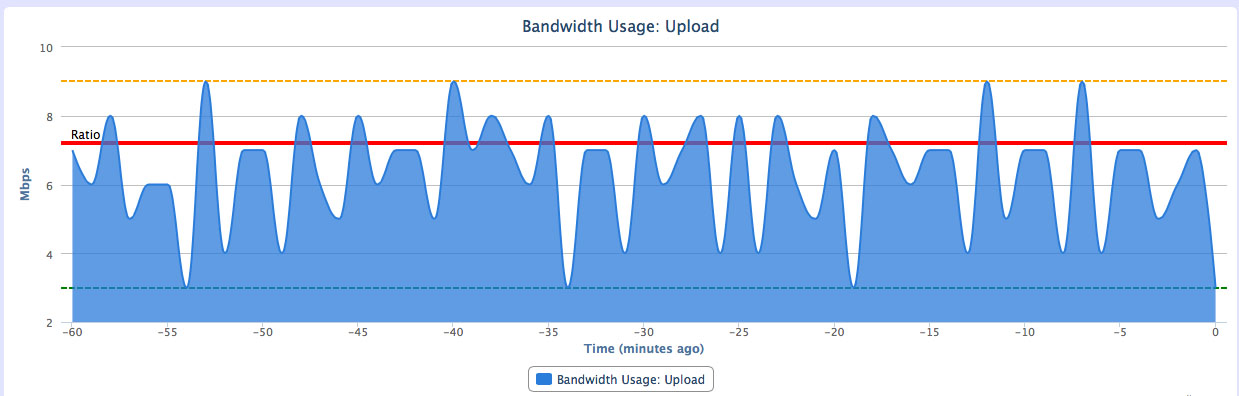
The first major enhancement you will see is the ability to look at graphs of all traffic going through the NetEqualizer.

This graph will show you your equalizing ratio and when traffic peaked above that threshold as well as minimum and maximum outputs in the given time frame. This will really help you see how often and when traffic is being Equalized from an historical perspective.

totaltraffic

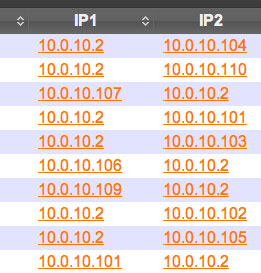
The other new features revolve around being able to run reports on each IP in your Active Connections table.

Instead of a static table, you will now see links associated with each IP address.
ip

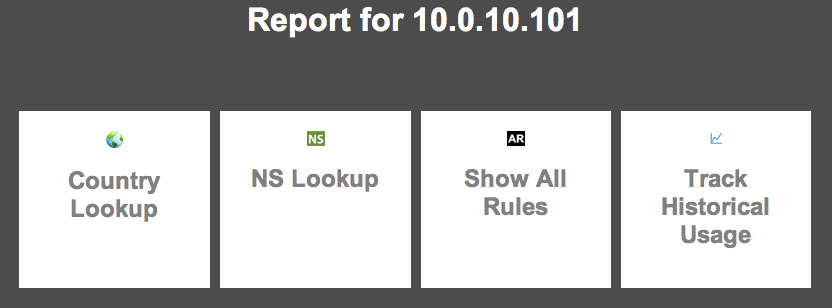
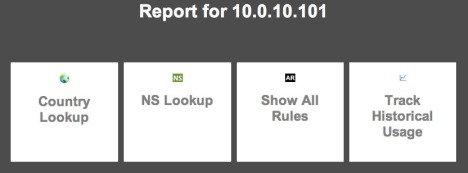
Click the desired IP address to bring up the reporting interface.
report

From here, you can do a number of tasks:

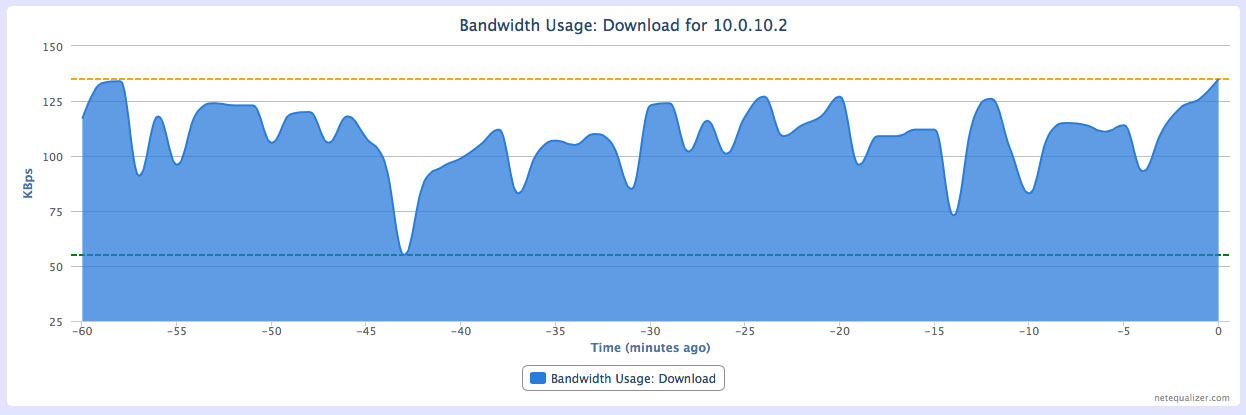
1) Look at historical graphs of traffic to and from the given IP address.

ipgraph

2) Look up the country associated with the IP address.
3) Do an NS Lookup of the IP address to see what name server it is associated with.
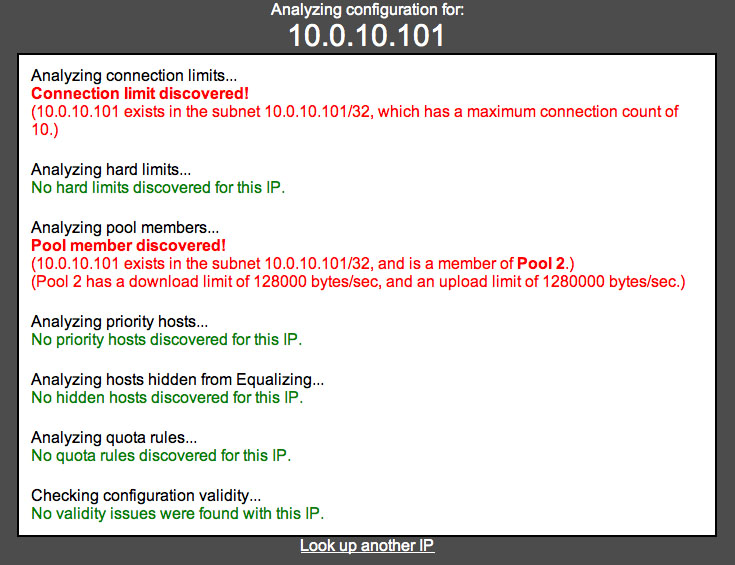
4) Show all rules for an IP – this interface shows you what rules currently affect the given IP (hard limits, pools, connection limits, etc.).

allrules

We are currently in Beta on new RTR Features (7.4 Release with RTR Beta), and would like several more customer participants. If you are interested, please email us at:

sales@apconnections.net

so we can see if you are a good fit for the Beta version. We plan to release the new RTR functionality to all customers as Software Update 7.5 in late October.

If you are interested in participating, you need to be current on NSS, and either be on the 7.4 release currently or be willing to upgrade to it. Once on 7.4, we will give you a hot fix to install the new RTR capabilities.

For more information on Software Update 7.4 and our Beta release, click here.


Best Of The Blog

Using OpenDNS on Your Wireless Network to Prevent DMCA Infringements

By Sam Beskur – CTO – Global Gossip

Editor’s Note: APconnections and Global Gossip have partnered to offer a joint hotel service solution, HMSIO. Read our HMSIO service offering datasheet to learn more.

Traffic Filtering with OpenDNS

Abstract
AUP (Acceptable Use Policy) violations which include DMCA infringements on illegal downloads (P2P, Usenet or otherwise) have been hugely troublesome in many locations where we provide public access WiFi. Nearly all major carriers here in the US now have some form of notification system to alert customers when violation occur and the once that don’t send notifications are silently tracking this behavior…

Photo Of The Month

artdoingymca
“It’s fun to stay at the Y.M.C.A.” (what’s this?)
At APconnections, we like to maintain a good work-life balance – and that includes having fun at the office. While our CTO, Art Reisman, was off running at the gym, we played this little Halloween “trick” on him.

How much on-line advertising revenue is fraudulent ?


Today the Wall Street Journal broke an article describing how professionals are scamming on-line advertising revenue.  The scam is pretty simple.

  • First create a web site of some kind.
  • Second hijack personal computers all over the world, or contract with a third party that does this for you.
  • Third have those computers visit your site en mass to drive up the popularity
  • Fourth sell advertisement space on your Website based on the fake heavy traffic

The big loser in this game is the advertising sponsor.

Our Experience

I have been scratching my head for years about the patterns and hit ratios of our own pay-per-click advertisements that we have placed through third parties such as Google  . The Google advertising network for Content Ad placement is a black hole of blind faith.  No matter how hard you examine your results, you cannot figure out who is clicking our advertisements and why.  I do know that Google on one hand takes fraud seriously, but I also know in the past we have been scammed.

Early on in our business, before we had any Web presence, we were putting a large portion of our very limited advertising budget into on-line advertising. Initially we did see a very strong correlation of clicks to inquiries. It was on the order of 100 to 1. One hundred paid clicks per one follow through inquiry. And then one day, we jumped to 1500 clicks. A whopping 15 fold increase in clicks, but there was no increase in corresponding inquiries, not even a tiny blip.  What are the chances of that ?  As you can imagine we had very little re-course other than to pay our bill for the phony clicks. We then removed our content placement advertisements and switched over to search engine only . Search engine clicks  are not likely scammed as Google does not split this revenue with third parties.

I honestly have no idea how big the scamming business on content advertisement is, but I do suspect it is enormous.  In the wall street journal article , the companies that have investigated and prosecuted scammers are large companies with resources to detect and do something about the fraud, the average small business placing content advertisements is running blind.