

By Art Reisman
CTO – APconnections
As a general rule, when a network router sees more packets than it can send or receive on a link, it will drop the extra packets. Intuitively, when your router is dropping packets, one would assume that the perceived slow down, per user, would be just a gradual shift slower.
What happens in reality is far worse…
1) Distant users get spiraling slower responses.
Martin Roth, a colleague of ours who founded one of the top performance analysis companies in the world, provided this explanation:
“Any device which is dropping packets “favors” streams with the shortest round trip time, because (according to the TCP protocol) the time after which a lost packet is recovered is depending on the round trip time. So when a company in Copenhagen/Denmark has a line to Australia and a line to Germany on the same internet router, and this router is discarding packets because of bandwidth limits/policing, the stream to Australia is getting much bigger “holes” per lost packet (up to 3 seconds) than the stream to Germany or another office in Copenhagen. This effect then increases when the TCP window size to Australia is reduced (because of the retransmissions), so there are fewer bytes per round trip and more holes between to round trips.”

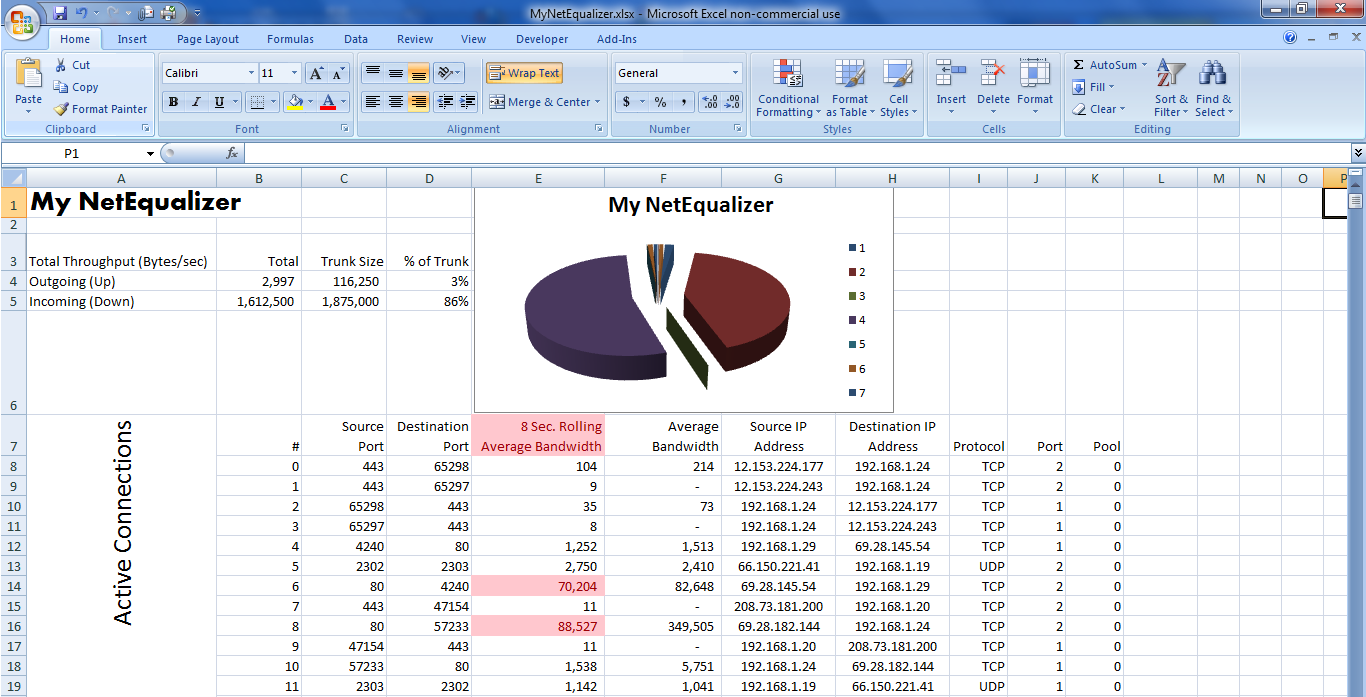
In the screen shot above (courtesy of avenida.dk), the Bandwidth limit is 10 Mbit (= 1 Mbyte/s net traffic), so everything on top of that will get discarded. The problem is not the discards, this is standard TCP behaviour, but the connections that are forcefully closed because of the discards. After the peak in closed connections, there is a “dip” in bandwidth utilization, because we cut too many connections.
2) Once you hit a congestion point, where your router is forced to drop packets, overall congestion actually gets worse before it gets better.
When applications don’t get a response due to a dropped packet, instead of backing off and waiting, they tend to start sending re-tries, and this is why you may have noticed prolonged periods (3o seconds or more) of no service on a congested network. We call this the rolling brown out. Think of this situation as sort of a doubling down on bandwidth at the moment of congestion. Instead of easing into a full network and lightly bumping your head, all the devices demanding bandwidth ramp up their requests at precisely the moment when your network is congested, resulting in an explosion of packet dropping until everybody finally gives up.
How do you remedy outages caused by Congestion?
We have written extensively about solutions to prevent bottlenecks. Here is a quick summary with links:
1) The most obvious being to increase the size of your link.
2) Enforce rate limits per user.
3) Wse something more sophisticated like a Netequalizer, a device that is designed to specifically counter the effects of congestion.
From Martin Roth of Avenida.dk
“With NetEqualizer we may get the same number of discards, but we get fewer connections closed, because we “kick” the few connections with the high bandwidth, so we do not get the “dip” in bandwidth utilization.
The graphs (above) were recorded using 1 second intervals, so here you can see the bandwidth is reached. In a standard SolarWinds graph with 10 minute averages the bandwidth utilization would be under 20% and the customer would not know they are hitting the limit.”
———————————————————————-
The excerpt below was a message from a reseller who had been struggling with congestion issues at a hotel, he tried basic rate limits on his router first. Rate Limits will buy you some time , but on an oversold network you can still hit the congestion point, and for this you need a smarter device.
“…NetEq delivered a 500% gain in available bandwidth by eliminating rate caps, possible through a mix of connection limits and Equalization. Both are necessary. The hotel went from 750 Kbit max per accesspoint (entire hotel lobby fights over 750Kbit; divided between who knows how many users) to 7Mbit or more available bandwidth for single users with heavy needs.








 NetEqualizer News Blog
Economic Check List for Bandwidth Usage Enforcement
March 11, 2012 — netequalizerI just got off the phone with a good friend of mine that contracts out IT support for about 40 residential college housing apartment buildings. He was asking about the merits of building a quota tool to limit the amount of total consumption, per user, in his residential buildings. I ended up talking him out of building an elaborate quota-based billing system, and I thought it would be a good idea share some of the business logic of our discussion.
Some background on the revival of usage-based billing (and quotas)
Although they never went away completely, quotas have recently revived themselves as the tool of choice for deterring bandwidth usage and secondarily as cash generation tool for ISPs. There was never any doubt that they were mechanically effective as a deterrent. Historically, the hesitation of implementing quotas was that nobody wanted to tell a customer they had a limit on their bandwidth. Previously, quotas existed only in fine print, as providers kept their bandwidth quota policy tight to their belt. Prior to the wireless data craze, they only selectively and quietly enforced them in extreme cases. Times have changed since we addressed the debate with our article, quota or not to quota, several years ago.
Combine the content wars of Netflix, Hulu, and YouTube, with the massive over-promising of 4G networks from providers such as Verizon, AT&T and Sprint, and it seems that quotas on data have followed right along where limitations used to reign supreme. Consumers seem to have accepted the idea of a quota on their data plan. This new acclimation of consumers to quotas may open the door for traditional fixed-line carriers to offer different quota plans as well.
That brings us to the question of how to implement a quota system, what is cost effective?
In cases where you have just a few hundred subscribers (as in my discussion with our customer above), it just does not make economic sense to build a full-blown usage-based billing and quota system.
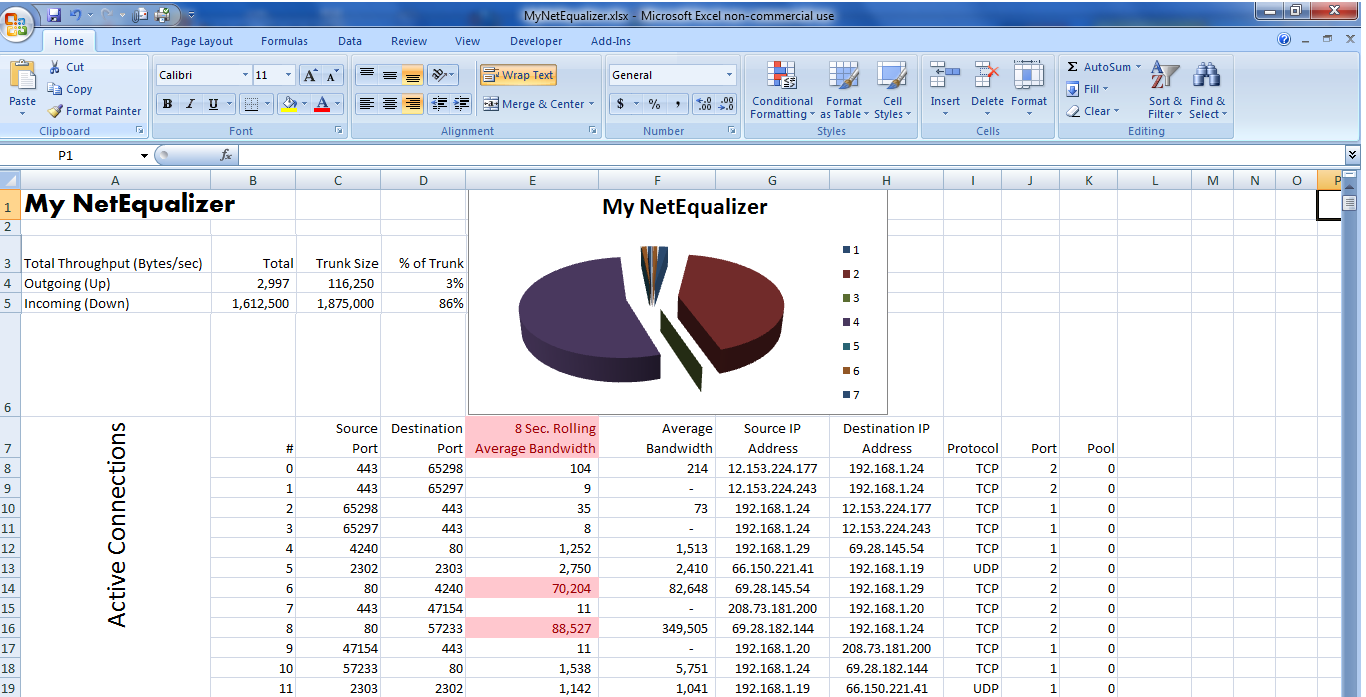
For example, it is pretty easy to just eyeball a monthly usage report with a tool such as ntop, and see who is over their quota. A reasonable quota limit, perhaps 16 gigabytes a month, will likely have only a small percentage of users exceeding their limits. These users can be warned manually with an e-mail quite economically.
Referencing a recent discussion thread where the IT Administrator of University of Tennessee Chattanooga chimed in…
“We do nothing to the first 4Gb, allowing for some smoking “occasional” downloads/uploads, but then apply rate limits in a graduated fashion at 8/12/16Gb. Very few reach the last tier, a handful may reach the 2nd tier, and perhaps 100 pass the 4Gb marker. Netflix is a monster.”
I assume they, UTC, have thousands of users on their network, so if you translate this down to a smaller ISP with perhaps 400 users, it means only a handful are going to exceed their 16 GB quota. Most users will cut back on the first warning.
What you can do if you have 1000+ customers (you are a large ISP)
For a larger ISP, you’ll need an automated usage-based billing and quota system and with that comes a bit more overhead. However, with the economy-of-scale of a larger ISP, the cost of a more automated usage-based billing and quota system should start to reach payback at 1000+ users. Here are some things to consider:
1) You’ll need to have a screen where users can login and see their remaining data limits for the billing period.
2) Have some way to mitigate getting them turned back on automatically if the quota system starts to restrict them.
3) Send out automated warning levels at 50 and 80 percent (or any predefined levels of your choice).
4) You may need a 24 hour call center to help them, as they won’t be happy when their service unknowingly comes to a halt on a Sunday night (yes, this happened to me once), and they have no idea why.
5) You will need automated billing and security on your systems, as well as record back-up and logging.
What you can do if you have < 1000 customers (you are a small ISP)
It’s not that this can’t be done, but the cost of such a set of features needs to be amortized over a large set of users. For the smaller ISP, there are simpler things you can try first.
I like to first look at what a customer is trying to accomplish with their quota tool, and then take the easiest path to accomplish their goal. Usually the goal is just to keep total bandwidth consumption down, secondarily the goal is to sell incremental plans and charge for the higher amounts of usage.
Send out a notice announcing a quota plan
The first thing I pointed out from experience is that if you simply threaten a quota limitation in your policy, with serious consequences, most of your users will modify their behavior, as nobody wants to get hit with a giant bill. In other words, the easiest way to get started is to send out an e-mail about some kind of vague quota plan and abusers will be scaled back. The nice part of this plan is it costs nothing to implement and may cut your bandwidth utilization overnight.
I have also noticed that once a notice is sent out you will get a 98 percent compliance rate. That is 8 notices needed per 400 customers. Your standard reporting tool (in our case ntop) can easily and quickly show you the overages over a time period and with a couple of e-mails you have your system – without creating a new software implementation. Obviously, this manual method is not practical for an ISP with 1 million subscribers; but for the small operator it is a great alternative.
NetEqualizer User-Quota API (NUQ-API)
If we have not convinced you, and you feel that you MUST have a quota plan in place, we do offer a set of APIs with the NetEqualizer to help you build your own customized quota system. Warning: these APIs are truly for tech geeks to play with. If that is not you, you will need to hire a consultant to write your code for you. Learn more about our NUQ-API (NetEqualizer User-Quota API).
Have you tried something else that was cost-effective? Do you see other alternatives for small ISPs? Let us know your thoughts!
Share this: