Tips for testing your internet speed


Five tips to look for when testing your network speed

By Eli Riles

Eli Riles is a retired Insurance Agent from New York. He is a self taught expert in network infrastructure. He spends half the year traveling and visiting remote corners of the earth. The other half of the year you’ll find him in his computer labs testing and tinkering with the latest network technology. For questions or comments please contact him at eliriles@yahoo.com.

In the United States, there are no rules governing truth in bandwidth claims, at least none that we are aware of. Just imagine if every time you went to a gas station, the meters were adjusted to exaggerate the amount of fuel pumped, or the gas contained inert additives. Most consumers count on the fact that state and federal regulators monitor your local gas station to insure that a gallon is a gallon and the fuel is not a mixture of water and rubbing alcohol.

Unfortunately in the Internet service provider world, there is no regulation at this time. So it is up to you the consumer to ensure you are getting what you are paying for.

Network operators deploy an array of strategies to make their service seem faster than others. The most common technique is to simply oversell the amount of bandwidth they can actually handle and hope that not all users are active at one time.

It is up to the consumer, who often has a choice of service providers, Satellite, Cable, Phone company, wireless operator etc, to insure that they are getting what they are paying for.

We at Network Optimization news want to help you level the playing field so here are some tips to use when testing your network speed.

1)Use a speed test site that transfers at least 10 megabits of data with each test.

Some providers will start slowing your speed after a certain amount of data is passed in a short period, the larger the file in the test the better


2)Repeat your tests with at least three different speed test sites.

Different speed test sites use different methods for passing data and results will vary.


3)Try not to use speed test sites recommended by your provider. 

Or at least augment their recommended sites with other sites.

Enough said.

4)Run your tests during busy hours typically between 5 and 9 p.m. in the evening, try running them at different times.

Often times providers have trouble providing their top advertised speeds during busy hours.


5)Make sure you test your speed in both directions. 

The test you use should upload as well as download information.

To find the latest speed test sites on the network, we suggest you use a Google search with the terms:

“test my network speed”

Dig down deep in the list of results for more obscure sites.

Lastly, remember the grass is not always greener.  If you find your speeds are not always up to their advertised rates don’t be alarmed – the industry is not regulated in the US and speeds can vary for a variety of reasons. Your provider is likely doing the best job it can while trying to stay profitable.

Good Luck!

Eli Riles

Created by APconnections, the NetEqualizer is a plug-and-play bandwidth control and WAN/Internet optimization appliance that is flexible and scalable. When the network is congested, NetEqualizer’s unique “behavior shaping” technology dynamically and automatically gives priority to latency sensitive applications, such as VoIP and email. Click here for a full price list.
Deep Packet Inspection DPI a Felony ?


Editors Note: In a recent press release APconnections denounced the use of any and all DPI in its products going forward. A customer brought this Article by Ryan Singel to our attention and it is worth reading if you are wondering where this is going.

Former Prosecutor: ISP Content Filtering Might be a ‘Five Year Felony’

By Ryan Singel EmailMay 22, 2008 | 3:23:35 PMCategories: Network Neutrality, Surveillance

Prison_san_quentin NEW HAVEN, Connecticut — Internet service providers that monitor their networks for copyright infringement or bandwidth hogs may be committing felonies by breaking federal wiretapping laws, a panel said Thursday.

University of Colorado law professor Paul Ohm, a former federal computer crimes prosecutor, argues that ISPs such as Comcast, AT&T and Charter Communications that are or are contemplating ways to throttle bandwidth, police for copyright violations and serve targeted ads by examining their customers’ internet packets are putting themselves in criminal and civil jeopardy.

See the full Article

http://blog.wired.com/27bstroke6/2008/05/isp-content-f-1.html

Other ranting

http://xplornetsucks.blogspot.com/2008/11/internet-packet-spoofing.html

Delusions of Net Neutrality


I saw this post this morning, and I thought it was fantastically well written and informative.

Delusions of Net Neutrality

A mathematics professor at the University of Minnesota, Andrew Odlyzko, has a pretty blistering critique of Internet Service Provider’s (ISPs) arguments against net neutrality and about their love of streaming over download. It’s worth a read of the abstract if nothing more – his paper, The delusions of net neutrality (caution, links to a pdf) destroys many a myth of the internet and video. Having been to many a conference lately where the best minds in the room can only imagine the internet making a better tv, I appreciate some astute analysis of the reality.

Odlyzko shows that ISPs and others are pushing for a world where the goals of the internet are reduced to streaming movies, in relatively walled envrionments, and that the costs to build a network capable of this demand that net neutrality be curtailed.

Full Article

NetEqualizer a Great ROI Purchase for Reducing T1, E1, DS3 Costs


If you are looking to cut costs with the recent downturn in the economy, now would be a good time re-visit the issue of bandwidth optimization. How can it be cost justified ?

First, ask yourself if you’re maxing out your Internet connection. If the answer is yes, then you should look at optimizing tools before purchasing more bandwidth.  However, some are quite expensive and hard to swallow, making it difficult to justify the expense. But, NetEqualizer offers a very competitive fixed price solution with no recurring costs.

There are two basic cost-savings factors with the NetEqualizer:

1) Greatly reduced IT labor — For most business, the largest single line item cost is human labor.  And one of the hardest labor costs to quantify is your IT.  Your IT staff may seem to somehow make themselves essential to every issue, no matter how hard you try to automate things.

On the issue of complaints that “the Network is slow,” if you were to sit back and conservatively look at tech time spent fiddling with routers or your expensive layer-7 based packet shaper, you’d probably notice that quite a bit of time is spent making adjustments and tweaking equipment on a weekly or daily business, only to repeat the fire drill the next time the network grinds to a halt.

Why is this?

Nine times out of ten,  the core problem is too much congestion, and to compound matters,  the  acute  source of the congestion changes. It is the transient nature of the cause that tends to drive up your labor costs. Yes you can find and head off problems with your router or deep packet inspection device, but you have to re-visit this issue each time the congestion source changes. Great for keeping techs busy, but bad for costs.

The big advantage with the NetEqualizer over the layer-7 shapers, or using a reporting tool and manually chasing issues on your router, is that the NetEqualizer proactively finds and eliminates network congestion before it blows up in your face, becoming an IT fire drill. Over and over again we hear from customers that they have deployed the NetEqualizer with our default setup,  plugged it in, and left it alone.

So, if you’re looking to save money in this downturn, have your IT support do something that helps generate revenue, like forward-facing customer support, and let the NetEqualizer put out the fires before they spread.

2) Stretching your existing  bandwidth to accommodate more users — Essentially, this allows you to indefinitely stave off signing a new bandwidth contract.

NetEqualizer can stretch the life of your current Internet trunk. Internet congestion is similar to the problem power companies face. They must have enough capacity on their grid to meet peak demands even though they may rarely need it. The same holds true for your Ineternet contract. You must purchase a contract with ample bandwidth to meet your peak loads.  But, as you may realize, much of your peaks are transient and they are also related to quite a bit of non-business traffic. The NetEqualizer is effective because it can spread your non-essential traffic out over time, smoothing out your peaks.

For more information on the NetEqualizer, including a live demo and price list, visit www.netequalizer.com.

Network Access Control Features Redirection for Delinquent Customers


What should an Internet service provider do to customers who are late with their payment?   If you simply block the user completely  at your firewall, you will likely generate a costly call to  your support engineering. But, there are other options…

A better way to collect payment without creating support calls is to redirect the delinquent user to a splash screen  informing them they need to pay their bill.  Obviously a customer won’t call unless they are ready to pay, hence no costly call to support engineering. For the suggested redirection capability, you do not need a fully automated network access control system (requiring a login  and credit card payment), but you do need a way to redirect delinquent customers to a Web page telling them to pay their outstanding bill.

With our latest version that is available now, we can set up IP redirection to a custom web page for a nominal support charge.

Note:  We now host the redirection page right on your NetEqualizer, so there is no need for another third party server.

Call us if you are interested:  303-997-1300
www.netequalizer.com

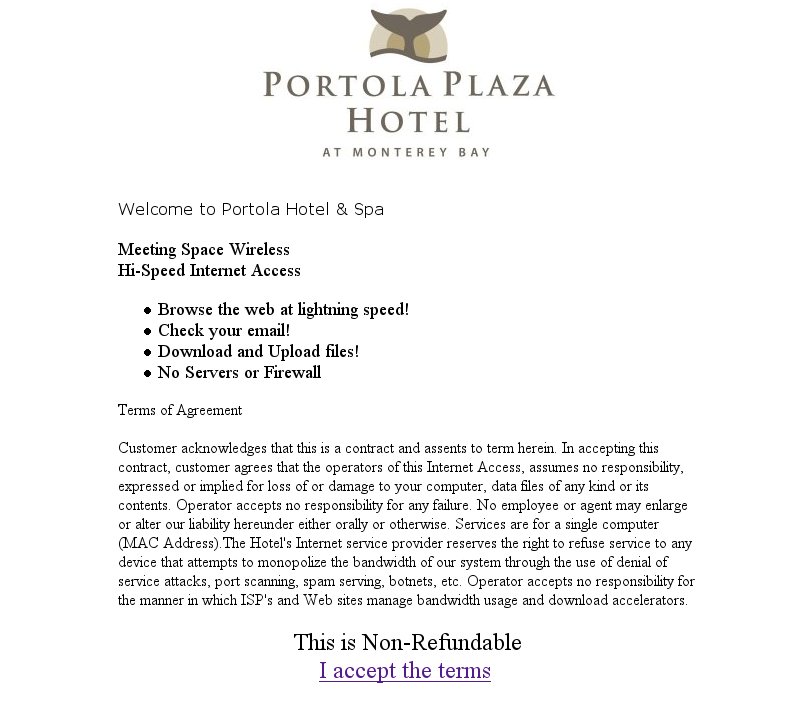
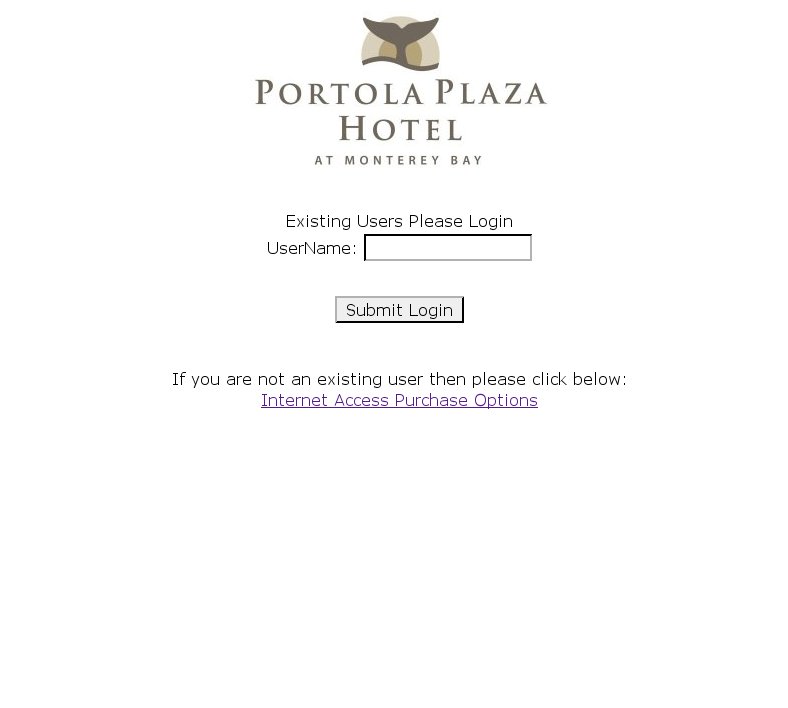
Update: NetEqualizer Access Control Module Running Live at Portola Hotel & Spa


Well, we did it. The new NetEqualizer access control module is now up and running at the Portola Hotel and Spa in Monterey, California. Of course, we wanted to be there for the maiden voyage.

We retrofitted one of the existing NetEqualzier bandwidth controllers at the Portola Hotel with our network access controller and have been live in their lobby areas without an issue going on 36 hours now.

According to Phillip Pennington of Portola Plaza’s IT department, he was not surprised with the results as our NetEqualizer products (they have four of them) have worked flawlessly throughout the complex since being installed 18 months ago.

We have just a few minor customizations to make for their billing needs, and plan to bring up the rest of the hotel in January 2009.

If you were waiting for our latest release with our NAC, now is a good time to call.

The price for any trials next month will start at $2500 and include two hours of consulting.

Note: Customers will need some HTML experience to customize their text pages. Customers will also need to meet basic network configurations to be eligible. Contact us for details at 303-997-1300 or see our Web page for more information.

Portola Plaza Personalized Welcome Screen

Returning Users Sign In Screen

NetEqualizer Network Access Control Rollout


After several months in development, the NetEqualizer network access control module is now available for trial.

The basic features of the Module are what you would expect (think airport T Mobile daily access etc):

1) The ability to dynamically authenticate/restrict users through a login process.

2) Automated payment processing for users who do not have a login.

3) The ability to selectively exempt an IP range from authentication redirection server. For example well known IP addresses on your network will not be forced to login, while other open IP address ranges (guest network) will require a login to obtain access.

4) The ability to custom brand  login pages and redirection service

Plus a couple of new twists that go above and beyond normal Network Authentication products:

1) Class of Service Specification When Customers Sign Up

For example, you will be able to offer customers a free standard service at modem speed with an option to pay for an upgrade for a faster connection. We have been playing with this feature at the office with our test system and the option to upgrade is very compelling. This could be a great way to increase revenue for those who might otherwise not log on at all if asked to purchase up front. Of course, this is made possible because the network access control is hosted by our NetEqualizer platform with full access to rate limiting features.

2) Group Licenses

This was one of the main requests from Portola Plaza Hotel (our beta site). They wanted to know if we could offer a system that allowed them to sell a group license (limited by total simultaneous sessions) to conference attendees. The other part of the challenge was to maintain a pay as you go option for individual hotel guests at the same time. Well, we have all that in there and it really is pretty impressive!

3) Smooth Service

For those hotels and institutions that have not been able to pull the trigger on something to eliminate their busy hour congestion, they will get the full power of our automated bandwidth controller. Many hotels and institutions have too many irons in the fire to address this issue, and perhaps their management cannot quantify the cost of slow Internet service, so they just live with it. These same institutions love to implement pay for internet service because that feature is clear-cut revenue generating device. So, now they will get both — revenue and smoother service for their paying customers all in one swoop!

4) Reliable Engineering

As many of our customers already know, we are an engineering company that developed a product, not an investor with a business plan that hired an engineering company. What this means is that our roots are conservative and we are in no hurry to put a solution on the market that will cause customers headaches as a result of some greedy business plan and offshore engineering. We do the work here in the U.S. and pay our engineers salaries of U.S. quality. The end result is a smoother process from start to finish. In addition, we are very conservative with our roll out and will not sell more than we can support at one time.

Needless to say, we were very excited to see the control module in action. It’s been even better to see that the months of research and development have paid off. For more information about the NetEqualizer network access control module, please visit our Web site at www.netequalizer.com.

YouTube: The Unfunded Mandate


As some of you may know, I have chimed in several times on the debate on Internet access and the games ISP play to block certain types of traffic (Bittorrent).  I have leaned toward the side of Internet providers and defended some of their restrictive practices. I took quite a bit of heat for some of my previous positions. For example, this excerpt was posted in a discussion forum as a reply to an opinion piece I wrote recently for Extreme Tech magazine:

“So I was wondering why Extremetech would allow such blatant misinformation and FUD on their site…”

First off, please understand my point of reference before assuming I am an industry shill. I am an unbiased observer sitting on the sideline.

Secondly, you can villainize providers all you want, but they exist to make a profit. It is, after all, a business. And now they are facing a new threat with the explosion of YouTube and other video content. Here are some trends that we have seen.

Back in 2006, on a typical footprint of usage patterns on an ISP network, streams exceeding 200kbs (that is 200 kilo bits of data per second) averaged around 2 percent of the users at any one time. Almost all other streams were well under 50kbs. The 2006  ratio of big users to small users allowed  a typical Internet provider to serve approximately 500 people on a 10 megabit circuit without any serious issues. Today we are seeing 10 to 15 percent of the active streams exceeding 200 kbs. That is about a 700 percent increase in the last two years. This increase is mostly attributed to increased online video with  YouTube leading the way.

The ramification of YouTube and its impact on bandwidth demands is putting the squeeze on providers– like it or not they have not choice to but to implement some sort of quota system on bandwidth. Providers invested in certain sized networks and capacities based on the older usage model and smaller increases over time, not 700 percent in 2 years.  Some providers did build out higher capaciites with the hopes of reaping returns by supplying  their own video content, but as the caption says, running other people’s video content without sharing the revenue was not planned for.

Was that a mistake this lack of capacity an evil greed driven conspiracy? No, it was just all they could afford at that time. Video has always been out there, but several years ago it was just not in any form of original content that made it compelling to watch from a public content site . I am not predicting Armageddon caused by overburdened Internet access, however, in the next few years you will see things get ugly with finger pointing and most likely Congress getting involved, obviously to saber rattle and score brownie points with their constituents.

With all that said, we will do our best to stay net neutral and help everybody sort it out without playing sides.

See our recent article on net neutrality for more details.

NetEqualizer Offers Net Neutrality, User Privacy Compromise


Although the debates surrounding net neutrality and user privacy are nothing new, the recent involvement of the Federal Communications Commission is forcing ISPs and network administrators to rethink their strategies for network optimization. The potential benefits of layer-7 bandwidth shaping and deep packet inspection are coming into conflict with the rights of Internet users to surf the net unimpeded while maintaining their privacy.

Despite the obvious potential relationship between net neutrality, deep packet inspection and bandwidth shaping, the issues are not inherently intertwined and must be judged separately. This has been the outlook at APconnections since the development of the network optimization appliance NetEqualizer five years ago.

On the surface, net neutrality seems to be a reasonable and ultimately beneficial goal for the Internet. In a perfect world, all consumers would be able to use the Internet to the extent they saw fit, absent of any bandwidth regulation. However, that perfect world does not exist.

In many cases, net neutrality can become a threat to equal access. Whether this is true for larger ISPs is debatable, however it cannot be denied when considering the circumstances surrounding smaller Internet providers. For example, administrators at rural ISPs, libraries, universities, and businesses often have no choice but to implement bandwidth shaping in order to ensure both reliable service and their own survival. When budgets allow only a certain amount of bandwidth to be purchased, once that supply is depleted, oftentimes due to the heavy usage of a small number of users, options are limited. Shaping in no longer a choice, but a necessity.

However, this does not mean that a free pass should be given for Internet providers to accomplish network optimization through any means available even at the expense of customer privacy. This is especially true considering that it’s possible to achieve network optimization without compromising privacy or equal access to the Internet. The NetEqualizer is a proven example.

Rather than relying on techniques such as deep packet inspection, NetEqualizer regulates bandwidth usage by connection limits and, through its fairness algorithm, ensures that all users are given equal access when the network is congested (Click here for a more detailed explanation of the NetEqualizer technology).

Therefore, a heavy bandwidth user that might be slowing Internet access for other customers can be kept in check without having to actually examine or completely block the data that is being sent. The end result is that the large majority of users will be able to access the Internet unhindered, while the privacy of all users is protected.

In the midst of the ongoing debates over net neutrality and privacy, the NetEqualizer approach is gaining popularity. This is apparent in both an increase in sales as well as on message boards and forums across the Internet. A recent Broadband Reports post reads:

“I don’t think anyone’s going to argue with you if you’re simply prioritizing real time traffic over non-real time. Just so long as you’re agnostic as to who’s sending the traffic, not making deals behind people’s backs, etc. then I’d have no problem with my ISP letting me surf the web or e-mail or stream at full speed, even if it meant that, when another person was doing the same, I could only get 100 KBs on a torrent instead of 150.

“I’d much rather have a NetEq’d open connection than a NATed nonmanaged one, that’s for sure.”

It is this agnostic approach that differentiates NetEqualizer from other network optimization appliances. While network administrators are able to prioritize applications such as VoIP in order to prevent latency, other activity, such as BitTorrent, is still able to take place – just at a slower speed when the network is congested. This is all done without deep packet inspection.

“NetEqualizer never opens up any customer data and thus cannot be accused of spying. Connections are treated as a metered resource,” said Art Reisman, CEO of APconnections. “The ISPs that use NetEqualizer simply put a policy in their service contracts stating how many connections they support, end of story. BitTorrent is still allowed to run, albeit not as wide with unlimited connections.”

Although not a proponent of bandwidth shaping, TorrentFreak.com editor-in-chief and founder Ernesto differentiates NetEqualizer from other bandwidth shaping appliances.

“I am not a fan of bandwidth control, the correct solution is for providers to build out more capacity by reinvesting their profits, however I’ll concede a solution such as a NetEqualizer is much more palatable than redirecting or specially blocking bittorrent and also seems to be more acceptable to consumers than bandwidth caps or metered plans.

“There is a risk though, who decides what the ‘peaks times’ are, how much bandwidth / connections would that be? Let me reiterate, I would rather see that ISPs invest in network capacity than network managing hardware.

“The Internet is growing rapidly, and if networks ‘crash’ already, they are clearly doing something wrong.”

The ultimate capacity of individual networks will vary on a case-by-case basis, with some having little choice but to employ bandwidth shaping and others doing so for reasons other than necessity. It has never been the intention of APconnections to pass judgment on how or why users implement shaping technology. The NetEqualizer is simply providing a bandwidth optimization alternative to deep packet inspection that gives administrators the opportunity to manage their networks with respect to both net neutrality and customer privacy.

Curbing RIAA Requests on Your Student Network


Editor’s Note: We often get asked by college administrators how the NetEqualizer can block p2p with our behavior-based rules. Since the NetEqualizer is containment based, it is effective in stopping approximately 80 to 90 percent of all p2p (see comparison with layer 7 shapers). Yet, questions and fears still remain about RIAA requests. Since the NetEqualizer is not a complete block, not that anything is, customers wonder how they can be safe from those intimidating lawyers.

In short, here’s the answer. The RIAA finds copyright violators by downloading files from your network. Since these downloads must be initiated from the outside, you simply need to block all outside initiated requests for data. Obviously you would still allow requests to your Web servers and other legitimate well known content servers on your network. Understanding this, administrators can configure their routers to work in conjunction with their NetEqualizers to largely curb RIAA requests.

Below, NetEqualizer user Ted Fines, the network administrator at Macalester College, shares his methods for preventing RIAA requests on his university network.

A few years ago, we implemented a rule on our firewall to improve our overall security. However, it has also had the added effect of stopping RIAA notices almost entirely.

The rule simply blocks all inbound connections to all ports on all residence hall computers. Here are some sample config lines from our firewall (aCisco PIX) that show how the rule works:

name 111.112.113.0 Kirk description Kirk Res Hall
object-group network Res_Halls
description All Residence Halls
network-object Kirk 255.255.255.0
network-object Bigelow 255.255.255.0
network-object Wallace 255.255.255.0
access-list 101 extended deny ip any object-group Res_Halls

Even though it may appear this rule would interfere with normal user Web browsing, etc., this rule actually has no effect at all on what systems the student computers in our residence halls may access. This is because the firewall tracks what computer initiates the connection.

For instance, when a student tries to access “http://www.cnn.com”, they are initiating the connection to CNN’s server. So when CNN’s server replies and send back news content, etc., the firewall knows that the student computer requested it and the incoming connection is allowed.

However, if a student is running a server, such as a Web server or a file sharing server, outside computers are not able to connect to it. The firewall knows that the outside computer is trying to initiate a connection, so it is blocked.

Our student body makes great use of our resources and we have a very open and unrestricted campus life, so I was pleasantly surprised that making this change did not ruffle any feathers. We do make exceptions when students request that a port be unblocked for a particular need. I have found that the ones who are savvy enough to know that they need a particular port opened are not typically the ones we have to be worried about, so we’re usually happy to accommodate them.

–Ted Fines, Macalester College, St. Paul, MN


Editor’s Note cont’d
: This recent tip was given on the ResNet mailing list by Sidney Eaton of Ferris State University…

If you want to minimize your notices, just block these address ranges on your firewalls (in and out):

64.34.160.0/20

64.124.145.0/25

These are MediaSentry IP addresses (the company scanning your network to determine if your users are sharing copyprotected materials). They are not the only company hired by the RIAA and MPAA but they are the largest one. So you may still get some but hopefully not as many.

Sidney Eaton, Ferris State University, Big Rapids, MI

FCC to Rule Comcast Can’t Block Web Videos


The FCC is expected to make an announcement this week that could significantly affect the direction of bandwidth management in the years to come. Although it certainly can’t be said that this was unexpected, the decision could signal the beginning of an official backlash against practices that are judged to conflict with net neutrality.

Here’s what the Wall Street Journal had to say…

Washington — Federal regulators are set to announce this week that Comcast Corp. wrongly slowed some of its customers’ Internet traffic, in a victory for consumer groups and high-tech companies that have fought to keep Web traffic free from interference.

The Federal Communications Commission will rule that the cable giant violated federal policy by deliberately preventing some customers from sharing videos online via file-sharing services like BitTorrent, agency officials said. The company has acknowledged it slowed some traffic, but said it was necessary to prevent a few heavy users from overburdening its network.

The decision, expected Friday, would set an important precedent in the continuing fight about how far phone and cable companies can go to make more money from their Internet networks. Cable and phone companies are experimenting with new ways to deal with people who use a lot of bandwidth, including “Internet metering” — charging customers for the amount they use.

To read on, click here.

APconnections Field Guide to Contention Ratios


In a recent article titled “The White Lies ISPs Tell about Broadband Speeds,” we discussed some of the methods ISPs use when overselling their bandwidth in order to put on their best face for their customers. To recap a bit, oversold bandwidth is a condition that occurs when an ISP promises more bandwidth to its users than it can actually deliver. Since the act of “overselling” is a relative term, with some ISPs pushing the limit to greater extremes than others, we thought it a good idea to do a quick follow-up and define some parameters for measuring the oversold condition. 

For this purpose we use the term contention ratio. A contention ratio is simply the size of an Internet trunk divided by the number of users. We normally think of Internet trunks in units of megabits. For example, 10 users sharing a one megabit trunk would have a 10-to- 1 contention ratio. If sharing the bandwidth on the trunk equally and simultaneously, each user could sustain a constant feed of 100kbs, which is exactly 1/10 of the overall bandwidth.

So what is an acceptable contention ratio?

From a business standpoint, it is whatever a customer will put up with and pay for without canceling their service. This definition may seem ethically suspect, but whether in the bygone days of telecommunications phone service or contemporary Internet bandwidth business, there are long-standing precedents for overselling. What do you think a circuit busy signal is caused by? Or a dropped cell phone call? It’s best to leave the moral debate to a university assignment or a Sunday sermon.

So, without pulling any punches, what exactly will a customer tolerate before pulling the plug?
Here are some basic observations:
  • Rural customers in the US and Canada: Contention ratios of 50 to 1 are common
  • International customers in remote areas of the world: Contention ratios of 80 to 1 are common
  • Internet providers in urban areas: Contention ratios of 20 to 1 are to be expected
  • The numbers above are a good, rough starting point, but things are not as simple as they look. There is a statistical twist as bandwidth amounts get higher.

    Contention ratios can actually increase as the overall Internet trunk size gets larger. For example, if 50 people can share one megabit without mutiny, it should follow that 100 people can share two megabits without mutiny as the ratio has not changed. It is still 50 to 1.

    However, from observations of hundreds of ISPs, we can easily conclude that perhaps 110 people can share two megabits with the same tolerance as 50 people sharing one megabit. What this means is that the larger the ISP, the more bandwidth at a fixed cost per megabit, and thus the larger the contention ratios you can get away with.

    Is this really true? And if so, what are its implications for your business?

    This is simply an empirical observation, backed up by talking to literally thousands of ISPs over the course of four years and noticing how their oversubscription ratios increase with the size of their trunk.

    A conservative estimate is that, starting with the baseline ratio listed above, you can safely add 10 percent more subscribers above and beyond the original contention ratio for each megabit of trunk they share.

    Thus, to provide an illustration, 50 people sharing one megabit can safely be increased to 110 people sharing two megabits, and at four megabits you can easily handle 280 customers. With this understanding, getting more from your bandwidth becomes that much easier.

    NetEqualizer Announces Low-Cost CALEA Probe for Mid-Level ISPs


    LAFAYETTE, Colo., May 18, 2007 — APconnections, a leading supplier of plug-and-play bandwidth shaping products and creator of the NetEqualizer, today announced an upgrade that will allow operators to perform the necessary data reporting measures mandated by the Communications Assistance for Law Enforcement Act, or CALEA.

    “We already had a great bandwidth shaping tool dispersed in networks around the world. It was a natural extension to add CALEA functionality with our equipment already in place,” said Art Reisman, CEO of APconnections. “Rather than watch our customers purchase CALEA specific solutions at what seem to be inflated prices, we have produced a functional CALEA probe that meets the spirit of the law at no extra cost to our existing customers.”

    The NetEqualizer CALEA probe will allow an ISP or other system operator to comply with a basic warrant for information about a user on their network by capturing and sending IP communications in real time to a third party. This communication can be captured either by headers alone, or by both headers and content. The NetEqualizer probe will provide basic descriptive tags identifying headers, data, and time stamps, along with HEX or ASCII representation of content data.

    Customers with current NetEqualizer Software Subscriptions (NSS) can implement the upgrade at no charge. This will be done with the assurance that the NetEqualizer’s bandwidth-control capabilities will continue to operate effectively and unabated. All future NetEqualizer models will be shipped with the upgrade already installed.

    The NetEqualizer is a plug-and-play bandwidth control and WAN/Internet optimization appliance that is flexible and scalable. When the network is congested, NetEqualizer’s unique “behavior shaping” technology gives priority to latency sensitive applications, such as VoIP and email. It does it all dynamically and automatically, improving on other bandwidth shaping technology out there. It controls network flow for the best WAN optimization.

    CALEA Update


    CALEAAs promised, NetEqualizer is now offering the utilities necessary to meet requirements set forth this month by CALEA, or the Communications Assistance for Law Enforcement Act. This law oversees telecommunication security and has now been expanded to Internet security. There are some fairly harsh federal penalties for noncompliance that became effective May 1.

    In the spirit of protecting our nation, the mission is not to make life miserable and expensive for operators and thwart communications, but rather to give the FBI and homeland security tools to wire tap (if we can borrow the term) Internet conversation on a moment’s notice. We suspect it would be a rare occurrence for a small WISP to receive a warrant to comply, but it would be potentially devastating to security should the means to monitor conversation not be available.

    The following updated Q&A will address NetEqualizer’s capabilities in reference to CALEA compliance.

    1. Functionally, what does the Netequalizer CALEA release provide?

    We provide a network probe with the following capabilities:

    • It will allow an ISP or other operator to comply with a basic warrant for information about a user by capturing and sending IP communications in real time to a third party.
    • Communication may be captured by headers or headers and content.

    2. In what format is the data portion sent to a law enforcement agency?

    We will provide basic descriptive tags identifying headers, data, and time stamps, along with HEX or ASCII representation of content data.

    3. Do you meet the standards of the receiving law enforcement agency?

    The law and specifications on “how” to deliver to a law enforcement agency are somewhat ambiguous. The FBI has created some detailed specifications, but the reality is that there are some 40,000 law enforcement agencies and they are given autonomy on how they receive data. We do provide samples on how to receive NetEqualizer-captured data on a third party server, but are unable to guarantee definite compliance with any specific agency.

    4. Does the NetEqualizer do any analysis of the data?

    No. We are only providing a probe function.

    5. Is the NetEqualizer release fully CALEA compliant?

    Although the law (see CALEA sections 103 and 107(a)(2)) is fairly specific on what needs to be done, the how is not addressed to any level of detail to which we can engineer our solution. Many people are following the ATIS specification which was put forth by the FBI, and we have read and attempted to comply with the probe portion of that specification. But, the reality is that there is no one agency given the authority to test a solution and bless it as compliant. So, if faced with a warrant for information, the law enforcement agency in charge may indeed want something in slightly different formats. If this is the case, there may be additional consulting.

    As best we can tell at this time, there is no one government agency that can fully declare our technology CALEA compliant. However, we do pledge to work with our customers should they be faced with a warrant for information to adjust and even customize our solution; however additional fees may apply.

    For more information on NetEqualizer and CALEA, visit our extended Q&A page at http://www.netequalizer.com/caleafaq.php. Additional information on CALEA itself can be found at http://www.askcalea.org.

    NetEqualizer and CALEA: A Short Q&A


    What is CALEA?

    CALEA, or the Communications Assistance for Law Enforcement Act, is the law that oversees telecommunication security which has now been expanded to Internet security. The FBI has been working to specify what is expected of wired and wireless ISPs, which has yet to be released in final form. There are some fairly harsh federal penalties for noncompliance that become effective in May 2007 (the stick). In the spirit of protecting our nation, the mission is not to make life miserable and expensive for operators and thwart communications, but rather to give the FBI and homeland security tools to wire tap (if I can borrow the term) Internet conversation on a moment’s notice.  I suspect it would be a rare occurrence for a small WISP to receive a warrant to comply, but it would be potentially devastating to security should the means to monitor conversation not be available. In the words of a consultant working for CALEA and the FBI, here is the verbatim minimal requirement as we obtained via e-mail in order to determine our obligations as a Network Tool supplier.

    Norm wrote:

    “Basically, an interception warrant would need to isolate and capture all communications to or from the subject of the warrant.  The warrant could specify that only header information is to be provided (i.e., a Pen Register/Trap and Tracee) or that header information and communications content should both be provided. “The Packet Technologies and Services Committee (PTSC) has developed standard ATIS-1000013.2007 for CALEA compliance for landline ISPs (including WiFi and WiMAX). Unfortunately, ATIS has not yet posted the standard on its web site (www.atis.org).”

    Our promise to our customers will be to provide a minimal compliance utility on our NetEqualizer Platform and support these utilities without adding additional cost to the product, if possible.

    Below is a Q&A regarding our plans.

    When will the NetEqualizer CALEA compliance module be available?

    We will have a “best effort” unit available for trial as of May 1. We caveat this as best effort because there may be some lag time to comply exactly with the requirement once the requirement is finalized and posted. However, there is enough information right now to get close to compliance, which is what we plan to do.

    Will there be any additional cost?

    At this time all customers with current NSS (software upgrade licenses) will not be charged. The NSS license for one year runs approximately 10 percent of the purchase cost of a new unit. Typically this would be in the $200 to $300 range.

    Will the CALEA module ship with newly purchased units?

    Yes, in fact any units purchased after March 20 will be eligible to receive the upgrade at no extra cost.

    Will the upgrade cost for the CALEA module always remain the same?

    We cannot promise a fixed price for future upgrades. If the complexity of this feature gets “out of hand,” we may have to label a “nonstandard” upgrade and charge, essentially making it a new product rather than an upgrade and charge accordingly.At this time our plans are to keep it as a standard upgrade.

    Will the standard NetEqualizer feature and the CALEA utility run on the same hardware at the same time?

    Due to the sensitive nature of the information should a warrant be requested for a tap, we have decided it would be best to focus on getting the stream to the federal agency. For this reason, the NetEqualizer will fall back to standard bridge mode. Obviously this may slow or degrade service to all customers, however this will be a rare event if ever and we’d rather do it this way than force customers to purchase an all new standalone appliance.

    Additional Questions… If you have any questions please, contact us at support@apconnections.net or 1-888-287-2492. For additional information on CALEA, visit www.askcalea.net.

