More on Deep Packet Inspection and the NebuAd case


By Art Reisman

CTO of APconnections, makers of the plug-and-play bandwidth control and traffic shaping appliance NetEqualizer

Art Reisman CTO www.netequalizer.com

Editors note:

This  latest article published in DSL reports reminds me of the time  where a bunch of friends (not me),  are smoking a joint in a car when the police pull them over, and the guy holding the joint takes the fall for everybody.  I don’t want to see any of these ISPs get hammered as I am sure they are good companies.

It seems like this case should be easily settled.  Even if privacy laws were viloated , the damage was perhaps a few unwanted AD’s that popped up on a browser, not some form of extortion of private records. In any case, the message should be clear to any ISP, don’t implement DPI of any kind to be safe.  And yet, for every NebuAd privacy lawsuit case article I come across , I must see at least two or three press releases from vendors announcing major deals with  for DPI equipment ?

FUll Original article link from DSL reports

ISPs Play Dumb In NebuAD Lawsuit
Claim they were ‘passive participants’ in user data sales…
08:54AM Thursday Feb 05 2009 by Karl Bode
tags: legal · business · privacy · consumers · Embarq · CableOne · Knology
Tipped by funchords See Profile

The broadband providers argue that they can’t be sued for violating federal or state privacy laws if they didn’t intercept any subscribers. In court papers filed late last week, they argue that NebuAd alone allegedly intercepted traffic, while they were merely passive participants in the plan.

By “passive participants,” they mean they took (or planned to take) money from NebuAD in exchange for allowing NebuAD to place deep packet inspection hardware on their networks. That hardware collected all browsing activity for all users, including what pages were visited, and how long each user stayed there. It’s true many of the the carriers were rather passive in failing to inform customers these trials were occurring — several simply tried to slip this through fine print in their terms of service or acceptable use policies.

NetEqualizer Bandwidth Control Tech Seminar Video Highlights


Tech Seminar, Eastern Michigan University, January 27, 2009

This 10-minute clip was professionally produced January 27, 2009. It  gives a nice quick overview of how the NetEqualizer does bandwidth control while providing priority for VoIP and video.

The video specifically covers:

1) Basic traffic shaping technology and NetEqualizer’s behavior-based methods

2) Internet congestion and gridlock avoidance on a network

3) How peer-to-peer file sharing operates

4) How to counter the effects of peer-to-peer file sharing

5) Providing QoS and priority for voice and video on a network

6) A short comparison by a user (a university admin) who prefers NetEqualizer to layer-7 deep packet inspection techniques

Four Reasons Why Peer-to-Peer File Sharing Is Declining in 2009


By Art Reisman

CTO of APconnections, makers of the plug-and-play bandwidth control and traffic shaping appliance NetEqualizer

Art Reisman CTO www.netequalizer.com

I recently returned from a regional NetEqualizer tech seminar with attendees from Western Michigan University, Eastern Michigan University and a few regional ISPs.  While having a live look at Eastern Michigan’s p2p footprint, I remarked that it was way down from what we had been seeing in 2007 and 2008.  The consensus from everybody in the room was that p2p usage is waning. Obviously this is not a wide data base to draw a conclusion from, but we have seen the same trend at many of our customer installs (3 or 4 a week), so I don’t think it is a fluke. It is kind of ironic, with all the controversy around Net Neutrality and Bit-torrent blocking,  that the problem seems to be taking care of itself.

So, what are the reasons behind the decline? In our opinion, there are several reasons:

1) Legal Itunes and other Mp3 downloads are the norm now. They are reasonably priced and well marketed. These downloads still take up bandwidth on the network, but do not clog access points with connections like torrents do.

2) Most music aficionados are well stocked with the classics (bootleg or not) by now and are only grabbing new tracks legally as they come out. The days of downloading an entire collection of music at once seem to be over. Fans have their foundation of digital music and are simply adding to it rather than building it up from nothing as they were several years ago.

3) The RIAA enforcement got its message out there. This, coupled with reason #1 above, pushed users to go legal.

4) Legal, free and unlimited. YouTube videos are more fun than slow music downloads and they’re free and legal. Plus, with the popularity of YouTube, more and more television networks have caught on and are putting their programs online.

Despite the decrease in p2p file sharing, ISPs are still experiencing more pressure on their networks than ever from Internet congestion. YouTube and NetFlix  are more than capable of filling in the void left by waning Bit-torrents.  So, don’t expect the controversy over traffic shaping and the use of bandwidth controllers to go away just yet.

Cox Shaping Policies Similar to NetEqualizer


Editor’s Note: Cox today announced a bandwidth management policy similar to NetEqualizer, but with a twist. It seems they are only delaying p2p during times of congestion (similar to NetEqualizer), but in order to specifically determine traffic is p2p, they are possibly employing some form of Deep Packet Inspection (not similar to NetEqualizer, which is traffic-type agnostic). If anybody has inside knowledge, we would appreciate comments here and will make corrections to our assertion if needed.

As this all plays out, it will be interesting to see how they differentiate p2p from video and if they are actually doing Deep Packet Inspection.  Also, if DPI is part of the Cox strategy, how will this sit with the FCC when they clearly strong armed  Comcast to stop using DPI ?

Cox Will Shape Its Broadband Traffic; Delay P2P & FTP Transfers

Om Malik | Gigaom.com | Tuesday, January 27, 2009

Cox Communications, the third largest cable company and broadband service provider is joining Comcast in traffic shaping and delaying traffic it thinks is not time sensitive. They call it congestion management, making it seem like a innocuous practice, though in reality it is anything but innocous. Chalk this up as yet-another-incumbent-behaving-badly!

To be fair, in the past Cox had made it pretty clear that it was going to play god with traffic flowing through its pipes. Next month, they will start testing a new method of managing traffic on its network in Kansas and Arkansas. Cox, outlining the congestion management policy on their website notes:

“…automatically ensures that all time-sensitive Internet traffic — such as web pages, voice calls, streaming videos and gaming — moves without delay. Less time-sensitive traffic, such as file uploads, peer-to-peer and Usenet newsgroups, may be delayed momentarily — but only when the local network is congested.”

Full article

ISP-planet nice article on NetEqualizer


NetEqualizer Sees New Opportunity

An aggressive move into a new channel comes along with cost cutting elsewhere in the business.

by Alex Goldman
ISP-Planet Managing Editor
[January 27, 2009]
Email a Colleague

When some ISP executives think “bandwidth shaper” they think of a device with a five digit price tag. If so, they’re not thinking of Lafayette, Colo.-based APConnection’s NetEqualizer product, which we last wrote about in 2007 (see Network Contention Specialist).

The NetEqualizer starts at under $2,000, and pricing is published online.

Full article

ROI calculator for Bandwidth Controllers


Is your commercial Internet link getting full ? Are you evaluating whether to increase the size of your existing internet pipe and trying to do a cost trade off on investing in an optimization solution? If you answered yes to either of these questions then you’ll find the rest of this post useful.

To get started, we assume you are somewhat familiar with the NetEqualizer’s automated fairness and behavior based shaping.

To learn more about NetEqualizer behavior based shaping  we suggest our  NetEqualizer FAQ.

Below are the criteria we used for our cost analysis.

1) It was based on feedback from numerous customers (different verticals) over the previous six years.

2) In keeping with our policies we used average and not best case scenarios of savings.
3) Our Scenario is applicable to any private business or public operator that administers a shared Internet Link with 50 or more users

4) For our example  we will assume a 10 megabit trunk at a cost of $1500 per month.

ROI savings #1 Extending the number of users you can support.

NetEqualizer Equalizing and fairness typically extends the number of users that can share a trunk by making better use of the available bandwidth in a time period. Bandwidth can be stretched from 10 to 30 percent:

savings $150 to $450 per month

ROI savings #2 Reducing support calls caused by peak period brownouts.

We conservatively assume a brownout once a month caused by general network overload. With a transient brownout scenario you will likely spend debug time  trying to find the root cause. For example, a bad DNS server could the problem, or your upstream provider may have an issue. A brownout  may be caused by simple congestion .   Assuming you dispatch staff time to trouble shoot a congestion problem once a month and at an overhead  from 1 to 3 hours. Savings would be $300 per month in staff hours.

ROI savings #3 No recurring costs with your NetEqualizer.

Since the NetEqualizer uses behavior based shaping your license is essentially good for the life of the unit. Layer 7 based protocol shapers must be updated at least once a year.  Savings $100 to $500 per month

The total

The cost of a NetEqualizer unit for a 10 meg circuit runs around $3000, the low estimate for savings per month is around $500 per month.

In our scenario the ROI is very conservatively 6 months.

Note: Commercial Internet links supported by NetEqualizer include T1,E1,DS3,OC3,T3, Fiber, 1 gig and more

Related Articles

Do Internet Service Providers give home field advantage to their VOIP?


By Art Reisman

Art Reisman CTO www.netequalizer.com

Editor’s note: Art Reisman is the CTO of APconnections. APconnections designs and manufactures the popular NetEqualizer bandwidth shaper.

The following article caught my attention this morning. Many of the ISPs that deploy our technology also provide their own VOIP service. Most have asked the question; can they make their in house VOIP offering work better than that offered by third parties such as Skype ? Fortunately, to date, we have taken the high road and talked them out of such a policy. We contend that protectionist strategies will eventually backfire. We have always proselytized if you have VOIP offering make sure it works well, price it well and your customers will stick with you.
Here is an excerpt from the Ars Technica article:

FCC wants to know if Comcast is interfering with VoIP

By Matthew Lasar | Published: January 19, 2009 – 10:25PM CT

Does Comcast give its own Internet phone service special treatment compared to VoIP competitors who use the ISP’s network? That’s basically the question that the Federal Communications Commission posed in a letter sent to the cable giant on Sunday.

Read on for the full article

Related Articles

The White lies ISPs tell about broadband speeds


Tips on Evaluating Routers, Bandwidth Shapers, Wirelss Access Points and Other Networking Equipment


By Art Reisman

Art Reisman CTO www.netequalizer.com

Editor’s note: Art Reisman is the CTO of APconnections. APconnections designs and manufactures the popular NetEqualizer bandwidth shaper. APconnections removed all Deep Packet Inspection technology from their NetEqualizer product over two years ago.

As many IT managers may already know, it is very hard to find unbiased information regarding networking equipment.  Publications and analysts always seem to have some bias or motivation, as you never know who pays their fees. Even your peers that swear by a new technology  have a vested interest in the commercial success of their chosen technology. And, most IT managers are not going to second guess and critique a technology decision, where big money was spent,  as long it provides some value, even if it’s not exactly what they’d hoped for.

Obviously you should continue to use analysts and peers as sources of advice and information, but there are also other ways to find unbiased data prior to making a technology decision.

Here are some ideas that have worked over the years for both myself as a buyer as well as for our customers:

1) When evaluating technology, request to talk to the engineering or test team at the company you are buying from. This may not be possible, but is worth a try. Companies (sales teams) hate it when you talk directly to their engineers. Why? Because they are more likely to tell the truth about every little problem.

2) If you can’t find an engineer that currently works at the company, then find one that formerly worked there. This is easier than you might think. Techies with loads of experience and insight spend time in tech forums, and a simple post asking for inside knowledge may yield some good sources.

3) This may sound silly, but try Googling  (productname)sucks.com. You’ll be surprised by what you might find. Many of the companies that are too large for you to get in touch with their engineering staffs will have ad-hoc consumer complaint sites.  However, keep in mind that all companies and products will have unhappy customers, so don’t discount a large company in favor of a smaller one just because you find complaints about the market leader.  The smaller company just may not yet have the critical mass to draw organized negative attention. And, no matter how good a product is, there will likely always be an unhappy customer.

4) Nothing beats a live trial of a product. But, don’t limit your decision to the vendors slobbering to give you free trials.  Giving away free trials is a marketing strategy to move a product and ultimately adds to the final cost in one way or another. Smaller vendors with great products may not be offering free trials, so you may miss out on some valuable technology if you only look for the complimentary test runs. Plus, all vendors should have a return policy if  they are confident in their product, so, even without a free trial, it shouldn’t be all or nothing.

While there is no guarantee that these tips will always lead to the perfect product, they have certainly bettered our hit-to-miss ratio over the past several years. If you’re asking the right people and looking in the right places, a little research can go a long way.

Related Articles

Choosing an IM security Product

A call for revolutions against beta culture

Is Barack Obama going to turn the tide toward Net Neutrality ?


NetWork World of Canada discusses some interesting scenarios about possible policy changes with the new adminstration.

In the article the author (Howard Solomon) specifically sites Obama’s leaning…

Meanwhile, the new President favours net neutrality, the principle that Internet service providers (ISPs) shouldn’t interfere with content traveling online, which could hurt Sandvine, a builder of deep packet inspection appliances for ISPs. At least one Senator is expected to introduce limiting legislation this month.

Will this help NetEqualizer sales and our support for behavior-based Net Neutral policy shaping?

According to Eli Riles vice president of sales at APconnections, “I don’t think it will change things much, we are already seeing steady growth, and I don’t expect a rush to purchase our equipment due to a government policy change. We sell mostly to Tier2 and Tier3 providers who have already generally stopped purchasing Layer 7 solutions mostly due to the higher cost and less so due to moral high ground or government mandate.”

related article

Stay tuned…

Can your ISP support Video for all?


By Art Reisman, CTO, http://www.netequalizer.com

Art Reisman CTO www.netequalizer.com

Art Reisman

As the Internet continues to grow with higher home user speeds available from Tier 1 providers,  video sites such as YouTube , Netflix,  and others are taking advantage of these fatter pipes. However, unlike the peer-to-peer traffic of several years ago (which seems to be abating), These videos don’t face the veil of copyright scrutiny cast upon p2p which caused most p2p users to back off. They are here to stay, and any ISP currently offering high speed Internet will need to accommodate the subsequent rising demand.

How should a Tier2 or Tier3 provider size their overall trunk to insure smooth video at all times for all users?

From measurements done in our NetEqualizer laboratories, a normal quality video stream requires around 350kbs bandwidth sustained over its life span to insure there are no breaks or interruptions. Newer higher definition videos may run at even higher speeds.


A typical rural wireless WISP will have contention ratios of about 300 users per 10-megabit link. This seems to be the ratio point where a small businesses can turn  a profit.  Given this contention ratio, if 30 customers simultaneously watch YouTube, the link will be exhausted and all 300 customers will be experience protracted periods of poor service.

Even though it is theoretically possible  to support 30 subscribers on a 10 megabit , it would only be possible if the remaining 280 subscribers were idle. In reality the trunk will become saturated with perhaps 10 to 15  active video streams,  as  obviously  the remaining 280 users are not idle. Given this realistic scenario, is it reasonable for an ISP with 10 megabits and 300 subscribers to tout they support video ?

As of late 2007 about 10 percent of Internet traffic was attributed to video. It is safe to safe to assume that number is higher now (Jan 2009). Using the 2007 number, 10 percent of 300 subscribers would yield on average 30 video streams, but that is not a fair number, because the 10 percent of people using video, would only apply to the subscribers who are actively on line, and not all 300. To be fair,  we’ll assume 150 of 300 subscribers are online during peak times.  The calculation now  yields an estimated 15 users doing video at one time, which is right on our upper limit of smooth service for a 10 megabit link, any more and something has to give.

The moral of this story so far is,  you should  be cautious before promoting unlimited video support with contention ratios of 30 subscribers to 1 megabit.  The good news is, most rural providers are not competing in metro areas, hence customers will have to make do with what they have. In areas more intense competition for customers where video support might make a difference, our recommendation is that  you will need to have a ratio closer to 20 subscribers to 1 megabit, and you still may have peak outages.

One trick you can use to support Video with limited Internet resources.

We have previously been on record as not being a supporter of Caching to increase Internet speed, well it is time to back track on that. We are now seeing results that Caching can be a big boost in speeding up popular YouTue videos. Caching and video tend to work well together as consumers tend to flock a small subset of the popular videos. The downside is your local caching server will only be able to archive a subset of the content on the master YouTube servers but this should be enough to give the appearance of pretty good video.

In the end there is no substitute for having a big fat pipe with enough room to run video, we’ll just have to wait and see if the market can support this expense.

Virtual PBX revisited


Editors Note:

This article written for VOIP magazine back in 2004 is worth revisiting.

Back in 2004 when I first wrote this article for the most part there was nothing commercially available  now, Jan 2009, the market is crowded with offers claiming to be virtual PBX’s . At APconnections, we currently use an offering from Aptela.com.  A true virtual PBX. Make sure you look under the hood at anything you evaluate.  All  the 800 service numbers call themselves virtual PBX’s; however, in our opinion, simply having a call answer service in the sky  is not a PBX. Read on for a detailed definition.

Before reposting we searched for the original but were unable to find it online.

—————————————————————————————————-

Art Reisman

By Art Reisman, CTO, APconnections makers of NetEqualizer Internet Optimization Equipment

Outsourcing Communications with a Virtual PBX

CTO http://www.apconnections.net http://www.netequalizer.com

A new breed of applications emerging from the intersection of VoIP and broadband may soon make the traditional premise-based PBX a thing of the past. Virtual PBX, hosted and delivered by today’s telcos and cable operators, is quickly becoming an option for businesses looking to outsource portions of their communications network. Rather than purchase and maintain an expensive piece of equipment, you can now sign up for a pay-as-you-go service with all of the functionality of an on-site PBX but with none of the expense.


To some, this idea may sound like a return to the past and, in a sense, it is. AT&T began delivering PBX functionality through its Centrex services in the 1970s. However, upon closer investigation, it is clear that the functionality delivered and the economics of the two approaches are very different.

The Private Branch Exchange: A Brief Primer

A PBX or private branch exchange allows an organization to maintain a small number of outside lines when compared to the number of actual telephones and users within an organization. Users of the PBX share these outside lines for making telephone calls outside the organization (external to the PBX).

Onsite PBX became popular and matured in the 1980s when the cost of remote connectivity was extremely high and the customer control of hosted PBX-like services of the time (Centrex) was limited, if it was even offered. In 1980, providing advanced, remote PBX services to a building with 100 employees would have required AT&T to run 100 individual copper lines from the local exchange to each telephone at the site.

As more and more businesses opted to install a PBX onsite, competition for customer dollars drove ever more extensive “business-class” features into these devices, further differentiating the premise-based PBX from the hosted products offered by telephone companies. Over time, PBX offerings gradually standardized into the product set that today we have come to expect when we pick up any business phone: voice-mail, auto attendant, call queuing, conferencing, call transfer, and more.

Flash forward from 1980 to 2005. Today, 100 direct phone lines can be transported from one location to another over many miles with no more than one wire. Remote access to control a PBX outside of your building is also trivial to implement with a simple Web portal. Technological advances coupled with feature stability and the broad appeal of PBX “applications” makes them a prime candidate for hosting.

A business starting today can have a full-featured hosted PBX with a single high-speed Internet connection. These virtualized services would require no additional equipment to purchase or maintain.

Defining Virtual PBX

Businesses looking to purchase such a service today can expect to find significant differences in the features and functionality available among offerings being marketed under the, often interchangeable, terms hosted or virtual PBX. To alleviate confusion and provide a starting point in your quest to outsource your communications network, the perfect, hosted PBX service would have the following features:

Auto-detectionThe PBX must dynamically detect remote stations from any place in the world and provide dial tone (As opposed to having a user dial in to obtain service. See the sidebar, Start with a Dial Tone).
Start with a Dial Tone
There are products on the market that remotely host a set of PBX services and require the user to dial in with a standard phone so the PBX can identify the caller. This is a viable approach to providing a hosted PBX with established stability. However, it does have a few restrictions not applicable to a pure hosted PBX.

  • When using the PBX services, the caller ties up a local phone line and blocks calls directly made to that line.
  • Obtaining a dial tone for an outbound call can only be done by first connecting to the PBX, or as a final alternative just using the standard phone line to dial out without going through the PBX, which takes away all of the cost and convenience benefits of the PBX.
  • A truly hosted PBX solution must provide a dial tone without first dialing in.

    Service Provisioning New service provisioning must be self-service with no expensive customer premise equipment required. For example, a customer with a credit card and access to a provider’s Web page should be able to initiate worldwide service in a matter of minutes.

    Standards Support Off-the-shelf SIP phones must be supported by the hosted service. A virtual PBX should not lock customers into using specific equipment or proprietary protocols.

    Affordable Start-up costs should be minimal and usage-based, allowing a small business to seamlessly grow and add stations as needed, without ever needing a disruptive upgrade or requiring a large capital investment.

    Level Rates Outbound and inbound toll rates should be provided at wholesale prices globally by the service provider. The customer can be assured of one published competitive price for outgoing calls and incoming calls.

    Administration Each business using the service should have access to a private portal allowing them to administer features and options. The organization’s account and services should be secure and accessible to a designated administrator 24/7.

    Bundled Applications The service must offer a minimum set of applications common to an onsite PBX. The most common of which include: transfer, conference, forward, find me, follow me, voice mail, auto attendant, basic call reporting, and inbound and outbound caller ID.

    Technology Considerations

    While the benefits to a hosted PBX solution are immediately obvious–elimination of equipment hard costs and the specialized knowledge required to keep it up and running–there are drawbacks to consider when adopting an emerging technology.

    The first point to consider is that the technology behind hosted PBX services has not yet developed to the point of large-scale enterprise deployments. Currently, the organizations that will see the most benefit from a hosted solution are small- to medium-sized businesses.

    Quality of service, the shadow that follows every voice over IP application, is the overriding technology hurdle that consumers need to be aware of when considering a hosted PBX solution. Latency can also be an issue; the different routes that IP data takes across the Internet can cause speech breaks and dropped calls.

    QoS and latency are key considerations when discussing bandwidth requirements and network architecture with potential vendors. Being undersold on bandwidth when moving to an IP communications network can create problems above and beyond being oversold.

    Selecting a Vendor

    The low barrier to entry for vendors looking to offer hosted PBX services has created a number of options for consumers and driven down costs, but customers need to be aware that not all service providers are equal.

    Existing Infrastructure Deploying a world-wide hosted PBX service as outlined above requires a significant infrastructure investment to handle the centralized switching needed to move millions of simultaneous call around the world. When investigating service providers, look for a vendor that has the knowledge to grow not only with your business but also with the broad adoption of the technology as a whole. Having a tested, existing infrastructure in place for business-class communications is key.

    Service Provider Network One method of alleviating IP voice quality issues on a regional basis is by staying within a large service provider network. For example, if an organization uses a Qwest T3 trunk service at its headquarters and an employee travels to neighboring cities with Qwest DSL service in their hotels, it is unlikely that quality problems will be experienced at the carrier level. Choosing a vendor that understands how your organization will use the service should be an important part of your selection process.

    Conclusion

    While adoption is not yet widespread, hosted services are here and will only get better with time. As companies continue to seek the benefits of outsourcing the elements of their enterprise–from business processes to core technologies—adoption will continue to grow, making hosted PBX is a technology to keep your eye on in 2005.

    Note the author uses a solution from Aptela and has found their support to be top notch and was the main reason for switching about 4 years ago.

    Bonded DSL Technical Pros and Cons Discussion


    Editor’s Note: We often get asked if our NetEqualizer product line can do load balancing. The answer is yes. maybe if we wanted to integrate in one of the public domain load balancing devices freely available. It seems that to do it correctly without issues is extremely expensive. In the following excerpt, we have reprinted some thoughts and experience from a user who has a wide breadth of knowledge in this area. He gives detailed examples of the trade-offs involved in bonding multiple WAN connections.

    When bonding is done by your provider it is essentially seamless and requires no extra effort (or risks to the customer) . It is normally done using bonded T1 links, but also can come in the form of a bonded DSL. The technology discussed below is applicable to users who are bonding two or more lines together without the knowledge (help) of their upstream provider.

    As for Linux freeware Load Balancing devices. They are NOT any sort of true bonding at all. If you have 3 x 1.5 Mbit lines, then you do NOT have a 4.5 Mbit line with these products. If you really want a 4.5Mbit Bonded line, then I’m not aware of anyway to do it without having BGP or some method of co-ordinating with someone upstream on the other side of the link. However, what these multi-WAN-routers will do is try to equally spread sessions out over the three lines so that if your users are collectively doing 3Mbit of collective downloads, that should be about 1Mbit on each line. For the most part, it does a pretty good job.

    It does it by a fairly dumb round robin NATing. So, it’s much like a regular NAT router – everyone behind it is a private 192.168 number (which is the 1st downside) – and it’ll NAT the privates to one of the 3 Public IP’s on the WAN ports. The side effect of that is broken session, where some websites (particularly SSL) that will complain that your IP address has changed while you’re inside the shopping cart or whatever.

    To counteract that problem, they have ‘session persistence’ which tries to track each ‘Session Pair’ and keep the same WAN IP in effect for that ‘Session Pair’. That means that the 1st time one of the private IP:port accesses some particular public ip:port, the router will remember that and use that same WAN port for that same public/private pair. The result of this is that ‘most’ of the time, we don’t have these broken sessions, but the downside of this is that the fairness of the load balancing is offset.

    For example, if you had 2 lines connected..;

    • User1 comes to speakeasy and does a speedtest – the router says ‘speakeasy is out WAN1 for evermore’.
    • User2 comes and looks up google, and the router says ‘google is out WAN2 for evermore’
    • User3 goes to Download.com and the router decides ‘Download.com is on WAR1’.
    • User4 goes to smalltextsite.com (WAN2)
    • User5 goes to YouTube (WAN1)

    And so on. With session persistence turned on, User300 will get SpeakEasy, Download.com and YouTube across WAN1 because that’s what it originally learned to be persistent about.

    So, the tradeoff is if you don’t use the session persistence, then you’ll have angry customers because things break. If you do use
    persistence, then there may be an unbalancing.

    Also, there is still some broken sites, even with persistance on. For example, some online stores have the customer shopping at www.StoreSite.com and when they checkout it transfers their cart contents to www.PaymentProcessor.com, which may flag an IP security violation. Any time the router see’s different IP’s out in the public side, it figures it can use a new WAN port and doesn’t know it’s the same user and application. There are a few game launchers that kids load a ‘launcher’ program and select a server to connect to, but when they actually click ‘connect’, the server complains because the WAN addresses have changed.

    In all honesty, it’s works quite well and there are few problems. We also can make our own exception list, so in my shopping cart example, we can manually add ‘storesite.com‘ and ‘paymentprocessor.com‘ to the same WAN address and that’ll ensure that it always uses the same WAN for those sites. That’s requires users complain first before you’d even know there’s a problem, and requires some tricks to figure out what’s going on, but the exception list can ultimately handle these problems if you make enough exceptions.

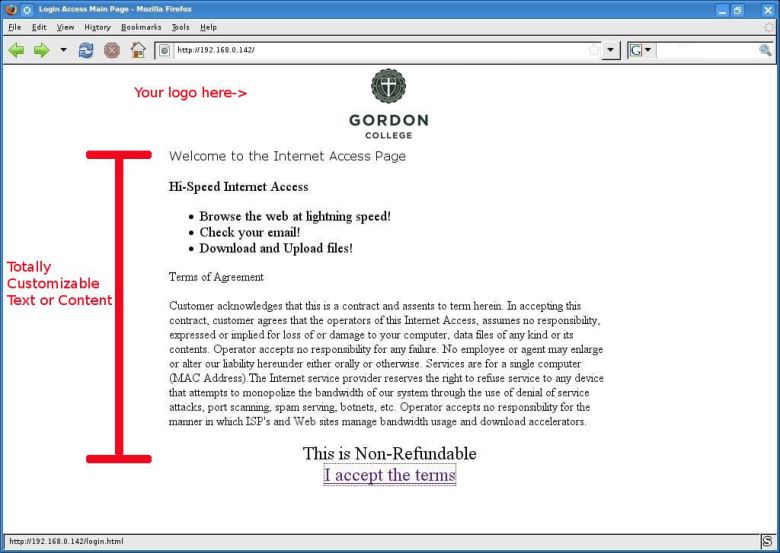
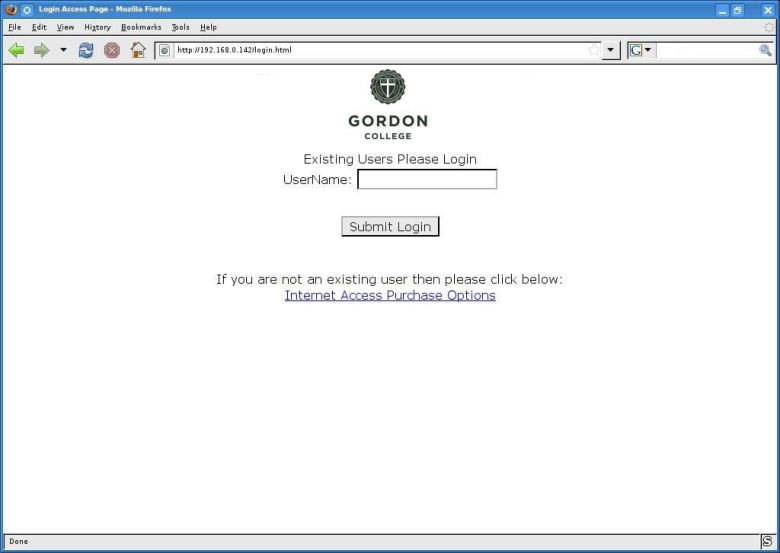
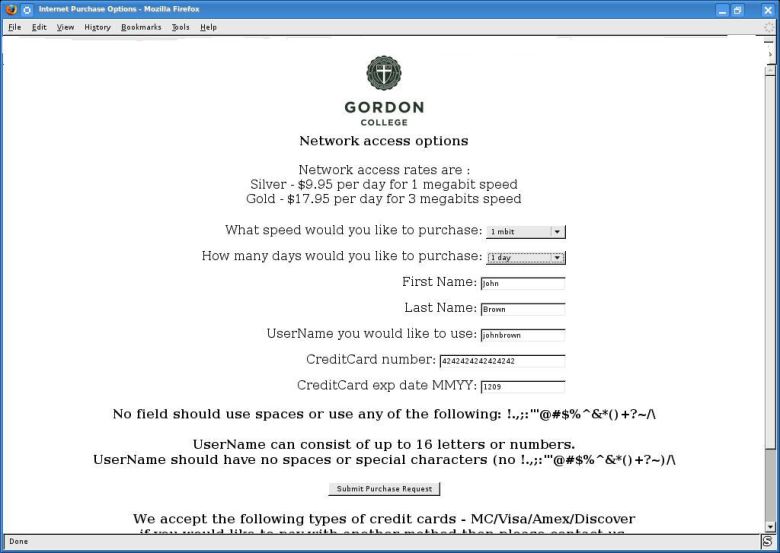
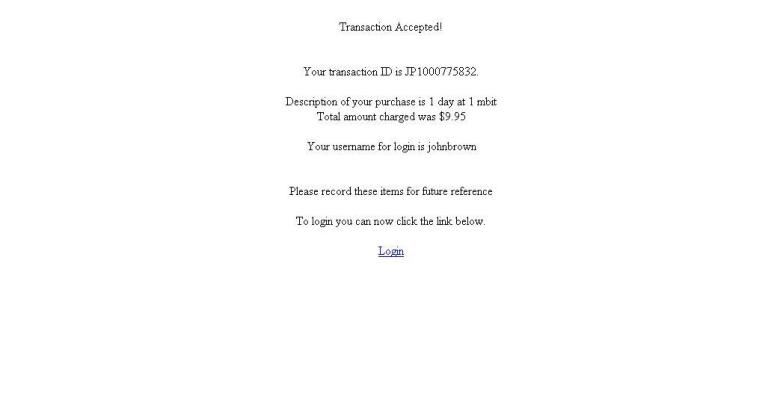
    Network Access Control Module Screenshots

    Comcast fairness techniques comparison with NetEqualizer


    Comcast is now rolling out the details of their new policy on Traffic shaping Fairness as they get away from their former Deep Packet inspection.

    For the complete Comcast article click here

    Below we compare techniques with the NetEqualizer

    Note: Feel free to  comment if you feel we  need to make any corrections in our comparison our goal is to be as accurate as possible.

    1) Both techniques make use of slowing users down if they exceed a bandwidth limit over a time period.

    2) The Comcast bandwidth limit kicks in after 15 minutes and is based only on a customers usage over that time period, it is not based on the congestion going on in the overall network.

    3) NetEqualizer bandwidth limits are based on the last 8 seconds of customer usage, but only kick when the overall Network is full.  (the aggregate bandwidth utilization of all users on the line has reached a critical level)

    4) Comcast punishes offenders by cutting them back  50 percent for a minimum of 15 minutes

    5) NetEqualizer punishes offenders  just a few seconds and then lets them back to full strength. It will hit the offending connection with a decrease ranging from 50 to 80 percent.

    6) Comcast puts a restriction on all traffic to the user during the 15 minute Penalty period

    7) NetEqualizer only punishes offending connections , for example if you were running an FTP download and a streaming audio , only the FTP download would be effected by the restriction.

    In our opinion both methods are effective and fair.

    FYI NetEqualizer also has a Quota system which is used by a very small percent of our customers. It is very similar to the Comcast 15 minute system only that the time interval is done in Days.

    Details on the NetEqualizer Quota based system can be found in the user guide page 11.

    Created by APconnections, the NetEqualizer is a plug-and-play bandwidth control and WAN/Internet optimization appliance that is flexible and scalable. When the network is congested, NetEqualizer’s unique “behavior shaping” technology dynamically and automatically gives priority to latency sensitive applications, such as VoIP and email. Click here for a full price list.

    NetEqualizer Seminar at Eastern Michigan University


    NetEq. Seminars

    On January 27, we will be hosting a complimentary NetEqualizer Seminar at Eastern Michigan University in Ypsilanti, Michigan. EMU, which has been a NetEqualizer user for several months, is the home of over 23,000 students, providing for a first-hand look at the NetEqualizer’s capabilities. In addition, door prizes will be awarded to attendees, including a number of Garmin GPS systems.We’ll cover:

    • The various tradeoffs regarding how to stem p2p and bandwidth abuse
    • Recommendations for curbing RIAA requests
    • Demo of the new NetEqualizer network access control module
    • Lots of customer Q&A and information sharing on how Eastern Michigan University is using the NetEqualizer, including some hands on probing of a live system

    When: Tuesday, January 27, 10 a.m. to noon

    Where:

    Eastern Michigan University
    Bruce T. Halle Library Building, Room 302
    955 West Circle Drive
    Ypsilanti, MI 48197
    (directions)

    This will be a great opportunity to learn more about the issues and challenges facing network administrators as well as see the NetEqualizer in action. If you’re in the area, be sure not to miss it! For more information, contact us at admin@apconnections.net.