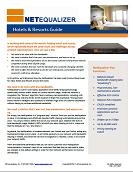
In working with some of the world’s leading hotels and resorts, we’ve repeatedly heard the same issues and challenges facing network administrators. Here are just a few:
Download Hotels White Paper
We need to do more with less bandwidth.
We need a solution that’s low cost, low maintenance, and easy to set up.
We need to meet the expectations of our tech-savvy customers and prevent Internet congestion during times of peak usage.
We need a solution that can meet the demands of a constantly changing clientele. We need to offer tiered internet access for our hotel guests, and provide managed access for conference attendees.
In this article, we’ll talk about how the NetEqualizer has been used to solve these issues for many Hotels and Resorts around the world.
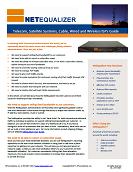
In working with Internet providers around the world, we’ve repeatedly heard the same issues and challenges facing network administrators. Here are just a few:
Download ISP White Paper
We need to support selling fixed bandwidth to our customers.
We need to be able to report on subscriber usage.
We need the ability to increase subscriber ratio, or not have a subscriber cutback, before having to buy more bandwidth.
We need to meet the varying needs of all of our users.
We need to manage P2P traffic.
We need to give VoIP traffic priority.
We need to make exemptions for customers routing all of their traffic through VPN tunnels.
We need a solution that’s low cost, low maintenance, and easy to set up.
We need a solution that will grow with our network.
We need a solution that will meet CALEA requirements.
In this article, we will talk about how the NetEqualizer has been used to solve these issues for Internet providers worldwide.
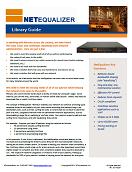
In working with libraries across the country, we have heard the same issues and challenges repeatedly from network administrators. Here are just a few:
Download Library White Paper
We need to meet the varying needs of all of our patrons while keeping the network truly open to the public.
We need to ensure access to our online resources for remote users (online catalogs, databases, etc.).
We need to do more with less bandwidth.
We need a solution that’s low cost, low maintenance, and easy to set up.
We need a solution that will grow with our network.
In this article, we’ll talk about how the NetEqualizer has been used to solve these issues for many libraries around the world.
Internet Providers continually use clever marketing analogies to tout their burstable high-speed Internet connections. One of my favorites is the comparison to an automobile with overdrive that at the touch of button can burn up the road. At first, the analogies seem valid, but there are usually some basic pitfalls and unresolved issues. Below are five points that are designed to make you ponder just what you’re getting with your burstable Internet connection, and may ultimately call some of these analogies, and burstable Internet speeds altogether, into question.
The car acceleration analogy just doesn’t work.
First, you don’t share your car’s engine with other users when you’re driving. Whatever the engine has to offer is yours for the taking when you press down on the throttle. As you know, you do share your Internet connection with many other users. Second, with your Internet connection, unless there is a magic button next to your router, you don’t have the ability to increase your speed on command. Instead, Internet bursting is a mysterious feature that only your provider can dole out when they deem appropriate. You have no control over the timing.
Since you don’t have the ability to decide when you can be granted the extra power, how does your provider decide when to turn up your burst speed?
Most providers do not share details on how they implement bursting policies, but here is an educated guess – based on years of experience helping providers enforce various policies regarding Internet line speeds. I suspect your provider watches your bandwidth consumption and lets you pop up to your full burst speed, typically 10 megabits, for a few seconds at a time. If you continue to use the full 10 megabits for more than a few seconds, they likely will reign you back down to your normal committed rate (typically 1 megabit). Please note this is just an example from my experience and may not reflect your provider’s actual policy.
Above, I mentioned a few seconds for a burst, but just how long does a typical burst last?
If you were watching a bandwidth-intensive HD video for an hour or more, for example, could you sustain adequate line speed to finish the video? A burst of a few seconds will suffice to make a Web page load in 1/8 of a second instead of perhaps the normal 3/4 of a second. While this might be impressive to a degree, when it comes to watching an hour-long video, this might eclipse your baseline speed. So, if you’re watching a movie or doing any another sustained bandwidth-intensive activity, it is unlikely you will be able to benefit from any sort of bursting technology.
Why doesn’t my provider let me have the burst speed all of the time?
The obvious answer is that if they did, it would not be a burst, so it must somehow be limited in some duration. A better answer is that your provider has peaks and valleys in their available bandwidth during the day, and the higher speed of a burst cannot be delivered consistently. Therefore, it’s better to leave bursting as a nebulous marketing term rather than a clearly defined entity. One other note is that if you only get bursting during your provider’s Internet “valleys”, it may not help you at all, as the time of day may be no where near your busy hour time, and so although it will not hurt you, it will not help much either.
When are the likely provider peak times where my burst is compromised?
Slower service and the inability to burst are most likely occurring during times when everybody else on the Internet is watching movies — during the early evening. Again, if this is your busy hour, just when you could really use bursting, it is not available to you.
These five points should give you a good idea of the multiple questions and issues that need to be considered when weighing the viability and value of burstable Internet speeds. Of course, a final decision on bursting will ultimately depend on your specific circumstances. For further related reading on the subject, we suggest you visit our articles How Much YouTube Can the Internet Handle and Field Guide to Contention Ratios.
In working with network administrators at public and private K-12 schools over the years, we’ve repeatedly heard the same issues and challenges facing them. Here are just a few:
We need a solution that’s low cost, low maintenance, and easy to set up.
We need a solution that will prioritize classroom videos and other online educational tools (e.g. blackboard.com).
We need to improve the overall Web-user experience for students.
We need a solution that doesn’t require “per-user” licensing.
In this article, we’ll talk about how the NetEqualizer has been used to solve these issues for many public and private K-12 schools around the world.
In working with information technology leaders at universities, colleges, boarding schools, and university housing over the years, we’ve repeatedly heard the same issues and challenges facing network administrators. Here are just a few:
Download College & University White Paper
We need to provide 24/7 access to the web in the dormitories.
We need to support multiple campuses (and WAN connections between campuses).
We have thousands of students, and hundreds of administrators and professors, all sharing the same pipe.
We need to give priority to classroom videos used for educational purposes.
Our students want to play games and watch videos (e.g. YouTube).
We get calls if instant messaging & email are not responding instantaneously.
We need to manage P2P traffic.
In this article, we’ll talk about how the NetEqualizer has been used to solve these issues for many private and public colleges, universities, boarding schools, and in university housing facilities around the world.
Introduction from Art Reisman, CTO of APconnections During a challenging economy, APconnections has remained committed to our customers and to our employees. As part of this commitment, APconnections sponsors an internship program. We believe that internships help talented, smart people get started in a new industry or technology area. Please help us to welcome our new intern, Lynne, who will post to this blog periodically about her experiences at APconnections.
Thoughts from Lynne the intern: I am starting an internship at APconnections, helping in the sales & marketing departments. I’m really excited to get going on some of the projects that we have been thinking up, and mostly, to start interacting with you, our customers and prospects, to see what you are looking for from us.
My background is in IT, and I studied “management information systems” as part of my MBA, so I understand this product somewhat. However, my career started in application development, and then moved to operations, and then back to application architecture. So to say that I have focused on “applications” is an understatement!
Over my career in IT, I have also been a “generalist”, involved in projects as diverse as wireless, migrating O/S platforms and hardware servers, deploying websites, and rolling out ACH, as I enjoy learning all aspects of IT. I have also project-managed, program-managed, and just overall managed stuff. I have found in my “management” roles that I ended up being a de facto internal product manager for my software application. I have become really interested in product management/marketing/sales and “product advocate” roles. With the advent of social media, I’m really interested in taking this up a level for APconnections.
This internship with APconnections gives me a chance to expand my experience in the IT product management/marketing/sales arena with a dynamic, growing, internet-based company. I also think it is important to work with a product that I can believe in; it is obvious to me from the many repeat customers and “word-of-mouth” marketing that NetEqualizer has a recognized, compelling value proposition.
I hope to leverage my experience as a de facto product manager to help APconnections build a library of content. My goal is to help encapsulate our expertise on networking, shaping, and all things related to bandwidth optimization into materials that help you, our customer.
As this is my first week, you can imagine that it has been learning all about “bandwidth shaping” and trying to figure out all the acronyms used in this space. So far, I’ve picked up the following: NIC, NAT, VLANs, VoIP, CF, and P2P.
I’ve read the entire FAQ (a good source if you want to see what questions people have on the NetEqualizer), the “Hitchhikers Guide to Network and WAN Optimization Technologies” White Paper (a fun read, I like that it is product agnostic), and of course reviewed the Online Demo (nice to see what the web front-end looks like – it is a real site!). After all that, I still have some questions… All that got me thinking….if I was a management type trying to figure out what the NetEqualizer does (and I am), what would help me to better understand it?
My thoughts immediately turn to pictures, as I’m highly visual, and then of course to summaries, as who has time to review all the details! On both those notes, here is what I’m thinking of putting together so far…
1 page picture(s) showing the Typical NetEqualizer Configuration
(where to put it) by industry (if it differs)
1 page NetEqualizer Key Features & Functions Cheat Sheet
Basically “what do I care about?” in terms I understand (so-called management speak)
Typical Network Traffic Flows, their sizes, and typical priorities
To help management understand what VoIP, web pages, emails, video, real-time streaming video, and other typical types of traffic look like & behave like
And for you more technical types, I have thought of one thing so far…
Cheat Sheet on the Default NetEqualizer Setup
All the parameters that are set, all that are not, and what your options are to change these (and why).
So that’s it for Week 1. I will keep you updated on my progress throughout my internship. I look forward to talking to some of you soon, to hear your thoughts! In the meantime, if you have other ideas on what would help you (or me!) get up-to-speed on the NetEqualizer, networking, or the shaping world in general, email me at sales@apconnections.net. Thanks!
After witnessing the overwhelming popularity of the government’s Cash for Clunkers new car program, we’ve decided to offer a similar deal to potential NetEqualizer customers. Therefore, this week, we’re announcing the launch of our Cash for Conversion program.The program offers owners of select brands (see below) of network optimization technology a $1000 credit toward the list-price purchase of NetEqualizer NE2000-10 or higher models (click here for a full price list). All owners have to do is send us your old (working or not) or out of license bandwidth control technology. Products from the following manufacturers will be accepted:
Exinda
Packeteer/Blue Coat
Allot
Cymphonics
Procera
In addition to receiving the $1000 credit toward a NetEqualizer, program participants will also have the peace of mind of knowing that their old technology will be handled responsibly through refurbishment or electronics recycling programs.
Only the listed manufacturers’ products will qualify. Offer good through the Labor Day weekend (September 7, 2009). For more information, contact us at 303-997-1300 or admin@apconnections.net.
For most IT administrators, bandwidth monitoring of some sort is an essential part of keeping track of, as well as justifying, network expenses. Without visibility into a network load, an administrator’s job would degrade into a quagmire of random guesswork. Or would it?
The traditional way of looking at monitoring your Internet has two parts: the fixed cost of the monitoring tool used to identify traffic, and the labor associated with devising a remedy. In an ironic inverse correlation, we assert that costs increase with the complexity of the monitoring tool. Obviously, the more detailed the reporting tool, the more expensive its initial price tag. The kicker comes with part two. The more expensive the tool, the more detail it will provide, and the more time an administrator is likely to spend adjusting and mucking, looking for optimal performance.
But, is it a fair to assume higher labor costs with more advanced monitoring and information?
Well, obviously it would not make sense to pay more for an advanced tool if there was no intention of doing anything with the detailed information it provides. Why have the reporting tool in the first place if the only output was to stare at reports and do nothing? Typically, the more information an admin has about a network, the more inclined he might be to spend time making adjustments.
On a similar note, an oversight often made with labor costs is the belief that when the work needed to adjust the network comes to fruition, the associated adjustments can remain statically in place. However, in reality, network traffic changes constantly, and thus the tuning so meticulously performed on Monday may be obsolete by Friday.
Does this mean that the overall productivity of using a bandwidth tool is a loss? Not at all. Bandwidth monitoring and network mucking can certainly result in a cost-effective solution. But, where is the tipping point? When does a monitoring solution create more costs than it saves?
A review of recent history reveals that technologies with a path similar to bandwidth monitoring have become commodities and shunned the overhead of most human intervention. For example, computer operators disappeared off the face of the earth with the invention of cheaper computing in the late 1980’s. The function of a computer operator did not disappear completely, it just got automated and rolled into the computer itself. The point is, anytime the cost of a resource is falling, the attention and costs used to manage it should be revisited.
An effective compromise with many of our customers is that they are stepping down from expensive complex reporting tools to a simpler approach. Instead of trying to determine every type of traffic on a network by type, time of day, etc., an admin can spot trouble by simply checking overall usage numbers once a week or so. With a basic bandwidth control solution in place (such as a NetEqualizer), the acute problems of a network locking up will go away, leaving what we would call only “chronic” problems, which may need to be addressed eventually, but do not require immediate action.
For example, with a simple reporting tool you can plot network usage by user. Such a report, although limited in detail, will often reveal a very distinct bell curve of usage behavior. Most users will be near the mean, and then there are perhaps one or two percent of users that will be well above the mean. You don’t need a fancy tool to see what they are doing; abuse becomes obvious just looking at the usage (a simple report).
However, there is also the personal control factor, which often does not follow clear lines of ROI (return on investment).
What we have experienced when proposing a more hands-off model to network management is that a customer’s comfort depends on their bias for needing to know, which is an unquantifiable personal preference. Even in a world where bandwidth is free, it is still human nature to want to know specifically what bandwidth is being used for, with detailed information regarding the type of traffic. There is nothing wrong with this desire, but we wonder how strong it might be if the savings obtained from using simpler monitoring tools were converted into a trip to Hawaii.
In our next article, we’ll put some real world numbers to the test for actual break downs, so stay tuned. In the mean time, here are some other articles on bandwidth monitoring that we recommend. And, don’t forget to take our poll.
Created by APconnections, the NetEqualizer is a plug-and-play bandwidth control and WAN/Internet optimization appliance that is flexible and scalable. When the network is congested, NetEqualizer’s unique “behavior shaping” technology dynamically and automatically gives priority to latency sensitive applications, such as VoIP and email. Click here for a full price list.
This week, we announced the launch of the NetEqualizer Lifetime Buyer Protection Policy. In the event of an un-repairable failure of a NetEqualizer unit at any time, or in the event that it is time to retire a unit, customers will have the option to purchase a replacement unit and apply a 50-percent credit of their original unit purchase price, toward the new unit. For current pricing see register for our price list. This includes units that are more than three years old (the expected useful life for hardware) and in service at the time of failure.
For example, if you purchased a unit in 2003 for $4000 and were looking to replace it or upgrade with a newer model, APconnections would kick in a $2000 credit toward the replacement purchase.
The Policy will be in addition to the existing optional yearly NetEqualizer Hardware Warranty (NHW), which offers customers cost-free repairs or replacement of any malfunctioning unit while NHW is in effect (read details on NHW).
Our decision to implement the policy was a matter of customer peace-of-mind rather than necessity. While the failure rate of any NetEqualizer unit is ultimately very low, we want customers to know that we stand behind our products – even if it’s several years down the line.
To qualify,
users must be the original owner of the NetEqualizer unit,
the customer must have maintained a support contract that has been current within last 18 months , lapses of support longer than 18 months will void our replacement policy
the unit must have been in use on your network at the time of failure.
Shipping is not included in the discounted price. Purchasers of the one-year NetEqualizer hardware warranty (NHW) will still qualify for full replacement at no charge while under hardware warranty. Contact us for more details by emailing sales@apconnections.net, or calling 303.997.1300 x103 (International), or 1.888.287.2492 (US Toll Free).
Note: This Policy does not apply to the NetEqualizer Lite.
Over the past few years, we at APconnections have made our feelings about Deep Packet Inspection clear, completely abandoning the practice in our NetEqualizer technology more than two years ago. While there may be times that DPI is necessary and appropriate, its use in many cases can threaten user privacy and the open nature of the Internet. And, in extreme cases, DPI can even be used to threaten freedom of speech and expression. As we mentioned in a previous article, this is currently taking place in Iran.
Although these extreme invasions of privacy are most likely not occurring in the United States, their existence in Iran is bringing increasing attention to the slippery slope that is Deep Packet Inspection. A July 10 Huffington Post article reads:
“Before DPI becomes more widely deployed around the world and at home, the U.S. government ought to establish legitimate criteria for authorizing the use such control and surveillance technologies. The harm to privacy and the power to control the Internet are so disturbing that the threshold for using DPI must be very high.The use of DPI for commercial purposes would need to meet this high bar. But it is not clear that there is any commercial purpose that outweighs the potential harm to consumers and democracy.”
This potential harm to the privacy and rights of consumers was a major factor behind our decision to discontinue the use of DPI in any of our technology and invest in alternative means for network optimization. We hope that the ongoing controversy will be reason for others to do the same.
Editor’s Note: The following blog entry explains the newest NetEqualizer features available with our most recent software update. While minor bug fixes are often included in these updates, they will not always be detailed.
We recently released our newest NetEqualizer software update, further improving on our existing technology. The following fixes have been implemented from the the previous 2.43k version to the latest 3.32a.
Upgraded internal disk memory caching. This feature remedied an issue with NTOP that was causing disk corruptions on the CF drive.
Subnet masking was modified such that masked traffic will not count against your license level. Prior to this change, a customer with a 10-meg license who ran 100 meg local transfers across their NetEqualizer would experience a license violation. You can now mask that traffic (make it invisible to the NetEqualizer and hence not violate your license).
A bug fix was put in for customers who run asymmetric pools. Bandwidth pools with different upload and download speeds were not working correctly prior to this fix.
VLAN shaping fix. There was an issue on cold restarts.
Support for multi-core CPU
More efficient connection limit processing
This software update is available without charge for NetEqualizer customers with a current NetEqualizer Software Subscription (NSS). For more information on this update, or the NSS, contact us at admin@apconnections.net.
The Computers, Freedom and Privacy conference wraps up today in Washington, D.C., with conference participants having paid significant attention to the on-going debates concerning ISPs, Deep Packet Inspection and net neutrality. Over the past several days, representatives from the various interested parties have made their cases for and against certain measures pertaining to user privacy. As was expected, demands for the protection of user privacy often came into conflict with ISPs’ advertising strategies and their defense of their overall network quality.
At the center of this debate is the issue of transparency and what ISPs are actually telling customers. In many cases, apparent intrusions into user privacy are qualified by what’s stated in the “fine print” of customer contracts. If these contracts notify customers that their Internet activity and personal information may be used for advertising or other purposes, then it can’t really be said that the customer’s privacy has been invaded. But, the question is, how many users actually read their contracts, and furhtermore, how many people actually understand the fine print? It would be interesting to see what percentage of Internet users could define deep packet inspection. Probably not very many.
This situation is reminiscent of many others involving service contracts, but one particular timely example comes to mind — credit cards. Last month, the Senate passed a credit card “bill of rights,” through which consumers would be both better protected and better informed. Of the latter, President Obama stated, “you should not have to worry that when you sign up for a credit card, you’re signing away all your rights. You shouldn’t need a magnifying glass or a law degree to read the fine print that sometimes doesn’t even appear to be written in English.”
Ultimately, the same should be true for any service contracts, but especially if private information is at stake, as is the case with the Internet privacy debate. Therefore, while it’s a step in the right direction to include potential user privacy issues in service contracts, it should not be done only with the intention of preventing potential legal backlash, but rather with the customer’s true understanding of the agreement in mind.
Last Friday, President Obama reinvigorated (for many people, at least) the debate over net neutrality during a speech from the White House on cybersecurity. The president made it clear that users’ privacy and net neutrality would not be threatened under the guise of cybersecurity measures. President Obama stated:
“Let me also be clear about what we will not do. Our pursuit of cyber-security will not — I repeat, will not include — monitoring private sector networks or Internet traffic. We will preserve and protect the personal privacy and civil liberties that we cherish as Americans. Indeed, I remain firmly committed to net neutrality so we can keep the Internet as it should be — open and free.”
While this is certainly an important issue on the security front, for many ISPs and networks administrators, it didn’t take the president’s comments to put user privacy or net neutrality back in the spotlight. In may cases, ISPs and network administrators constantly must walk the fine line between net neutrality, user privacy, and ultimately the well being of their own networks, something that can be compromised on a number of fronts (security, bandwidth, economics, etc.).
Therefore, despite the president’s on-going commitment to net neturality, the issue will continue to be debated and remain at the forefront of the minds of ISPs, administrators, and many users. Over the past few years, we at NetEqualizer have been working to provide a compromise for these interested parties, ensuring network quality and neutrality while protecting the privacy of users. It will be interesting to see how this debate plays out, and what it will mean for policy, as the philosophy of network neutrality continues to be challenged — both by individuals and network demands.
Schedule an online demo to see if NetEqualizer is right for you.
If you like our articles, you can talk to our authors!
The Network Engineers that write our blog are available for FREE 1/2 hour consultations. Click the button to request your consult, and we will have one of our Network Engineers get back to you within 1 business day.









 NetEqualizer News Blog
Deep Packet Inspection Abuse In Iran Raises Questions About DPI Worldwide
July 10, 2009 — netequalizerOver the past few years, we at APconnections have made our feelings about Deep Packet Inspection clear, completely abandoning the practice in our NetEqualizer technology more than two years ago. While there may be times that DPI is necessary and appropriate, its use in many cases can threaten user privacy and the open nature of the Internet. And, in extreme cases, DPI can even be used to threaten freedom of speech and expression. As we mentioned in a previous article, this is currently taking place in Iran.
Although these extreme invasions of privacy are most likely not occurring in the United States, their existence in Iran is bringing increasing attention to the slippery slope that is Deep Packet Inspection. A July 10 Huffington Post article reads:
This potential harm to the privacy and rights of consumers was a major factor behind our decision to discontinue the use of DPI in any of our technology and invest in alternative means for network optimization. We hope that the ongoing controversy will be reason for others to do the same.
Share this: